Banner Designer
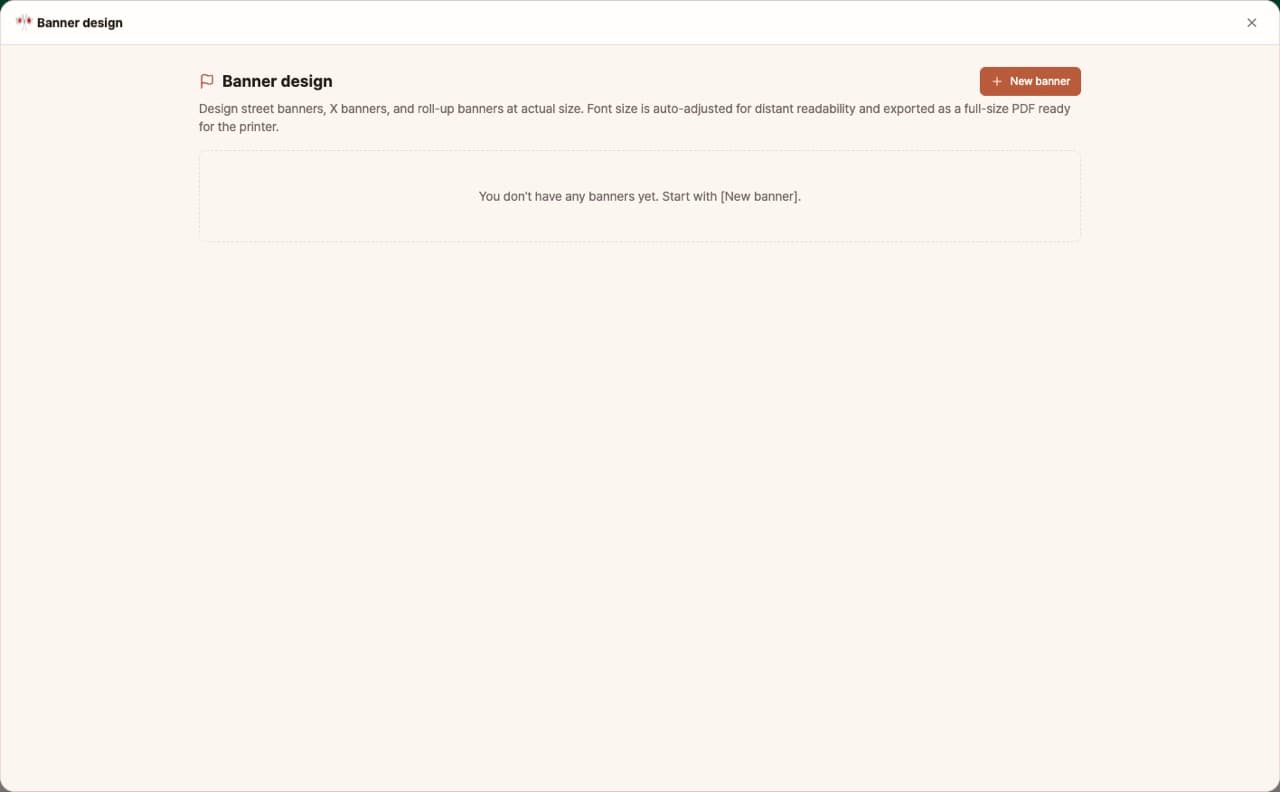
Free with subscriptionStreet banners, X-banners and roll-ups at actual size — text automatically as large as it fits, exported as an actual-size print PDF
Banners and X-banners for events and stores need to be readable from a distance, but it's hard to arrange text at large sizes. With our banner and X-banner designer, just pick the type and size, enter your message, and the text will be automatically set as large as possible to fit the space. You'll see how far away it's readable, and you can export a full-size PDF ready to send straight to your print shop.
Sign in and tap Use — the app appears inside DoDone.
Who it's for · what for
Store & cafe owners
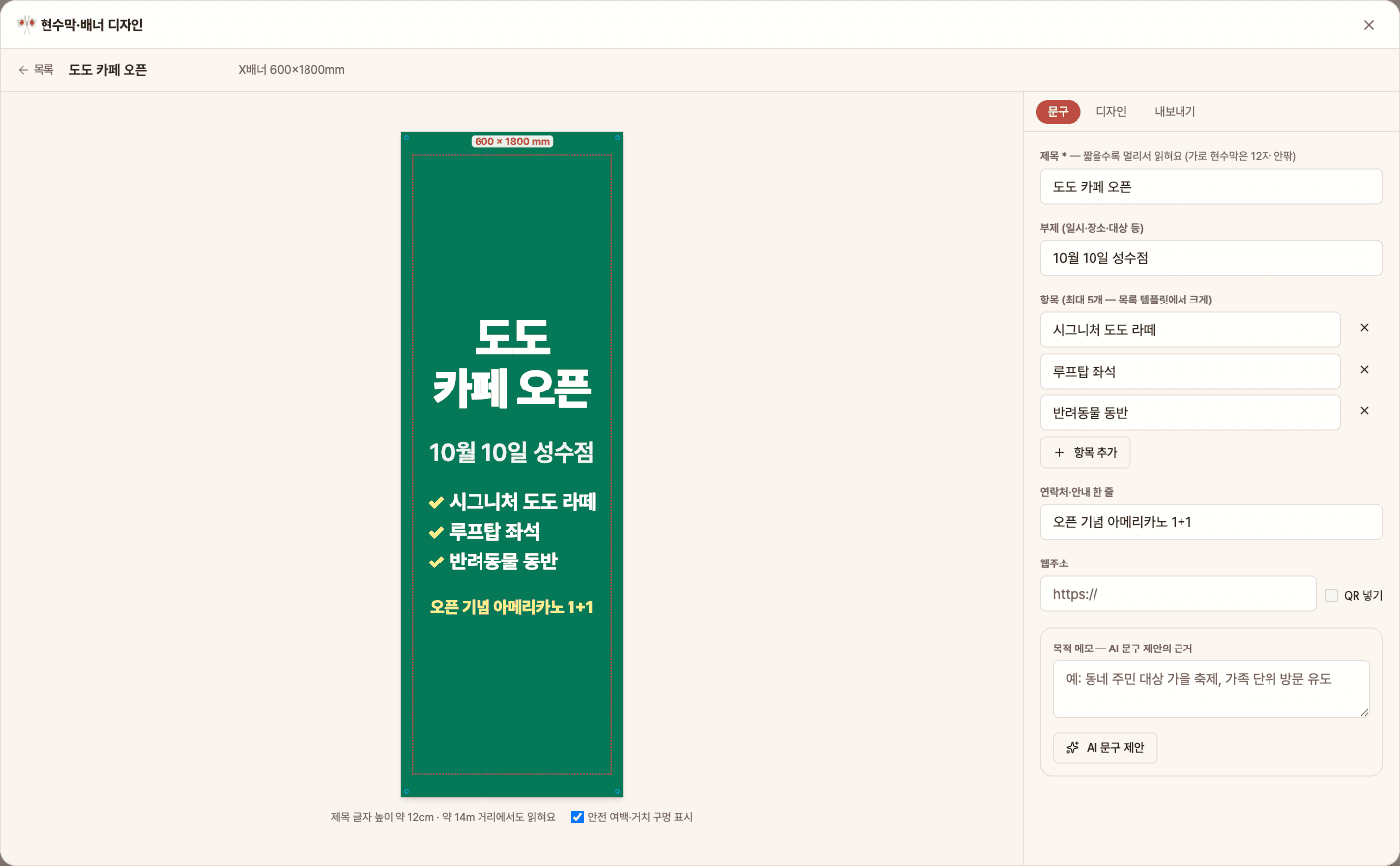
Create your own opening or event X-banners and send them directly to the print shop.
Event & festival organizers
Quickly make street banners by entering the date and location, and review with a proof PDF.
Schools, organizations, churches
Use templates to make recruitment or information banners with consistent quality every time.
How to use
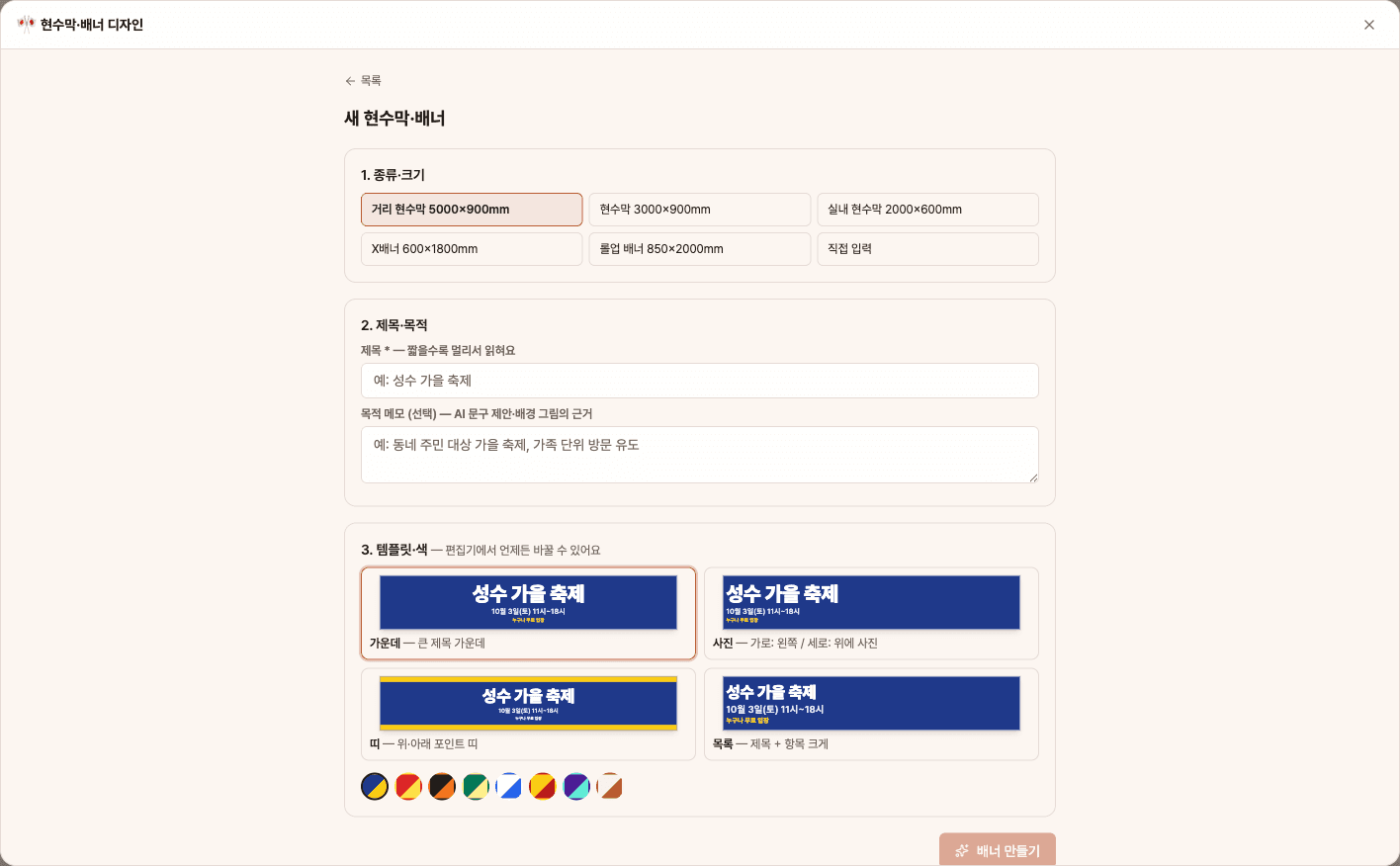
- 1[New Banner] → Choose a size from street banner, X-banner, or roll-up, and enter a title and purpose note.
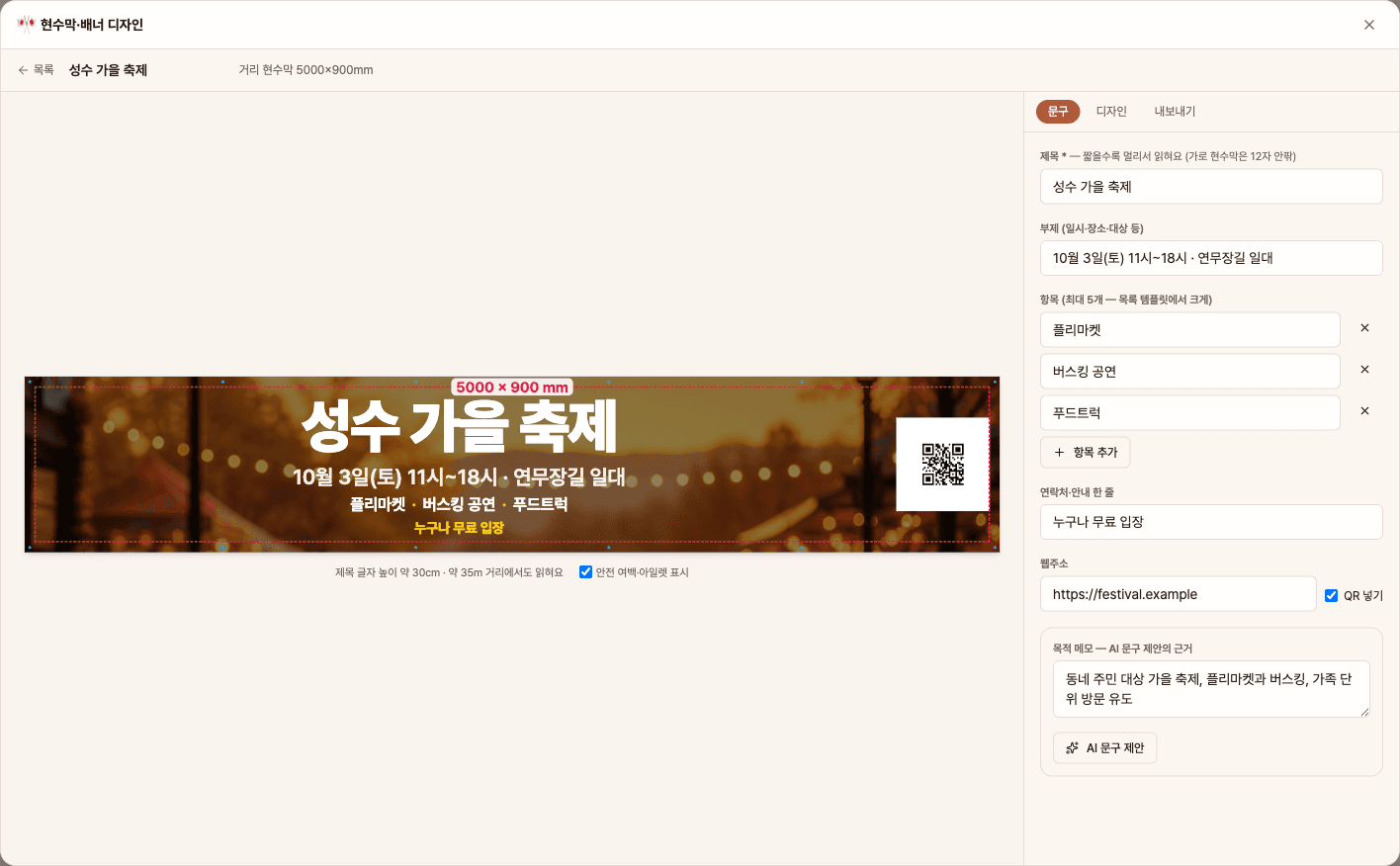
- 2In the Message tab, fill in subtitle, items, contact info, and web address (QR), or get title suggestions with [AI Message Suggestion].
- 3In the Design tab, pick a template and color, upload a photo, or create an [AI Background].
- 4Check the readable distance and safe margins in the preview, then export as print-ready PDF, proof PDF, or PNG.
Features in detail
5 m, 3 m and indoor banners · X-banners · roll-ups
Street banners at 5000×900 and 3000×900, indoor 2000×600, X-banners 600×1800, roll-ups 850×2000, or custom sizes (300–5000 mm). Four templates — center, photo, stripe and list — adapt to wide and tall formats, with 50 mm safety margins and grommet positions for banners and the top/bottom areas hidden by stands for X-banners.
Auto text size · reading distance · AI copy
Code sizes the headline, subtitle, items and contact line as large as each fits and breaks lines only between words. It shows the headline letter height and roughly how many meters away it can be read. From a purpose note, AI suggests three short headlines and a subtitle — dates, prices or discounts you did not give are filtered out by code.
AI background · resolution check · actual-size PDF
Upload a photo or generate a text-free AI background (with a dark overlay for contrast), and get a warning when a photo is too small for the print size. Export an actual-size print PDF — including 5 m banners, fonts embedded — a proof PDF and a preview PNG for sharing.
FAQ
Q.Can I get a full-size PDF for a 5m banner?
Yes. It creates a 5000×900mm PDF at actual size with embedded fonts (within the 5080mm PDF page limit). Most print shops accept full-size PDFs.
Q.Will my photos come out blurry?
If your uploaded photo is below 30dpi at print size, you'll get a warning. For large prints viewed from a distance, 30–50dpi is usually enough.
Q.Will AI make up dates or discount rates?
If a suggested message includes numbers you didn't enter, the system filters it out. Still, please double-check dates and prices before printing.
This app — and every work app — is free for DoDone subscribers
New work apps keep shipping, at no extra cost while you're subscribed. Tap Use and run it from 'My Work Apps' inside DoDone.