Business Card Designer
Free with subscriptionDesign both sides from templates and make cards for your whole team in one design — AI fills the English back, then export a print-ready PDF
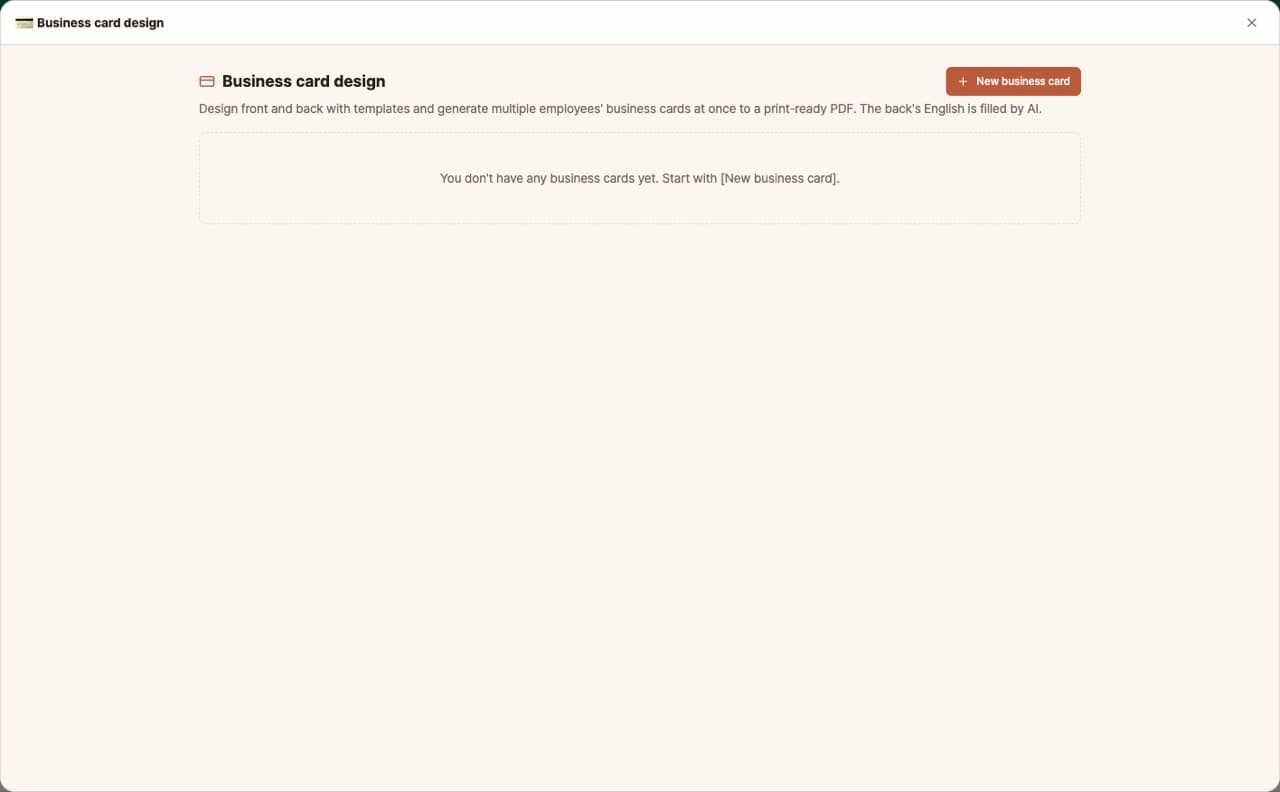
Business cards are made often, but opening a design program and adjusting the size and bleed can be a hassle. With business card design, just pick a template and enter your information to instantly lay out the front and back of your card. You can also create cards for multiple employees in the same design at once and export them as a print-ready PDF for your print shop. The English back side is filled in by AI.
Sign in and tap Use — the app appears inside DoDone.
Who it's for · what for
Small business owners & solo entrepreneurs
Create your own shop or business cards and send them to your local or online print shop.
Startup & SMB managers
Quickly make new employee cards in the same design and place a bulk order.
Companies with overseas business
Prepare English backs fast, with names romanized and job titles following English conventions.
How to use
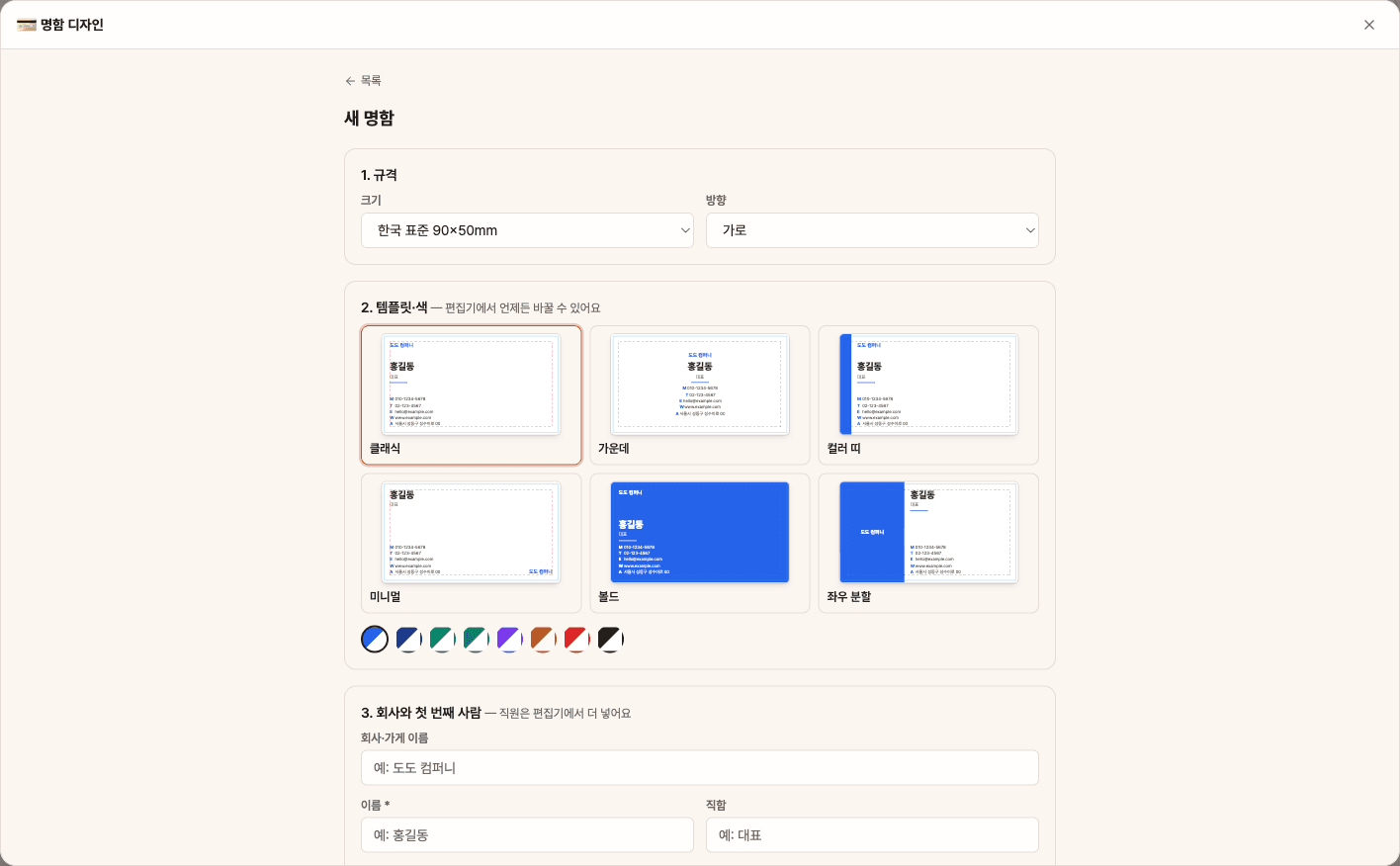
- 1[New Business Card] → Choose size (Korean 90×50, etc.), orientation, template, and color, then enter your company name and the first person's name.
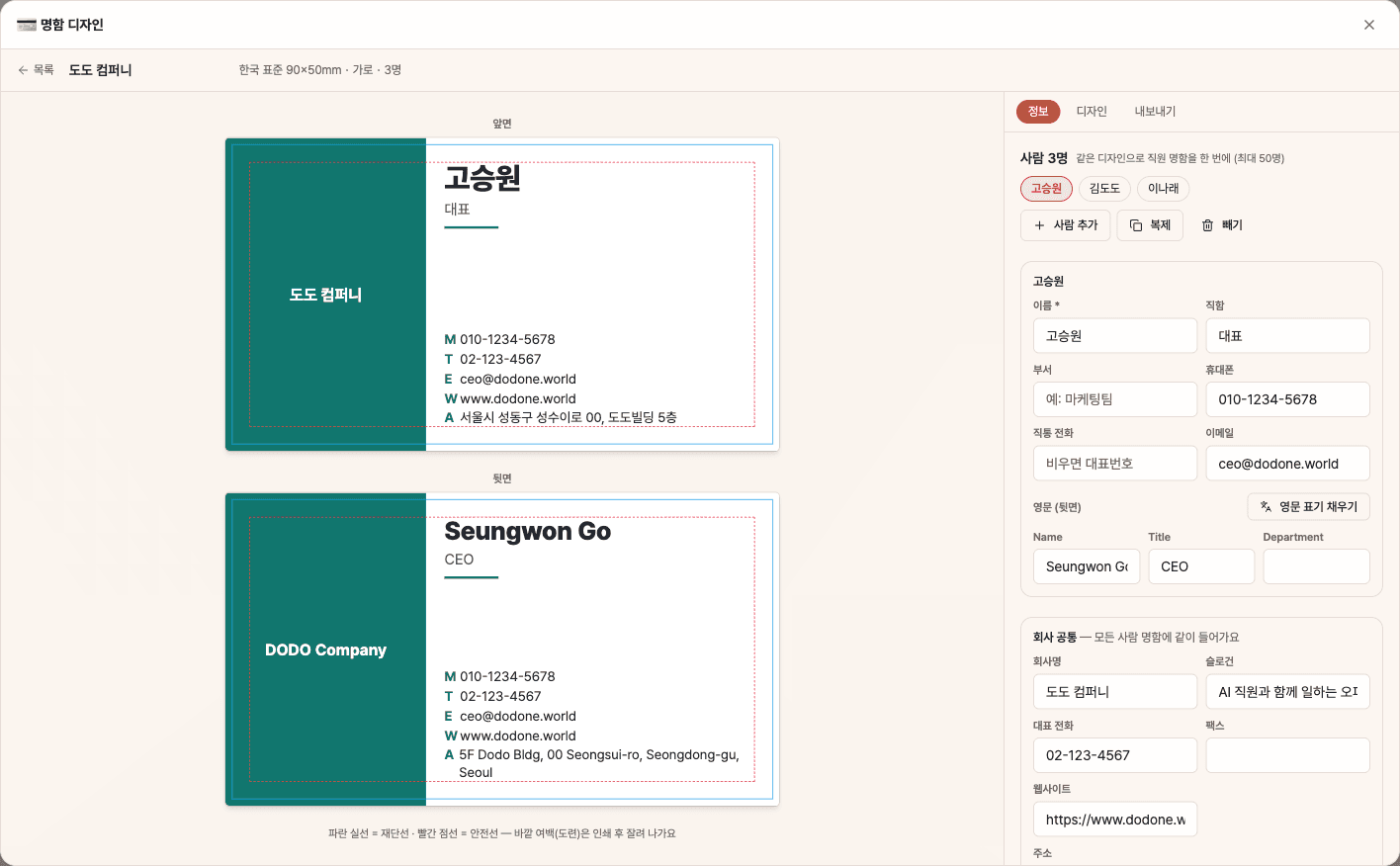
- 2In the Info tab, add or duplicate people and fill in company-wide info (address, main phone, website).
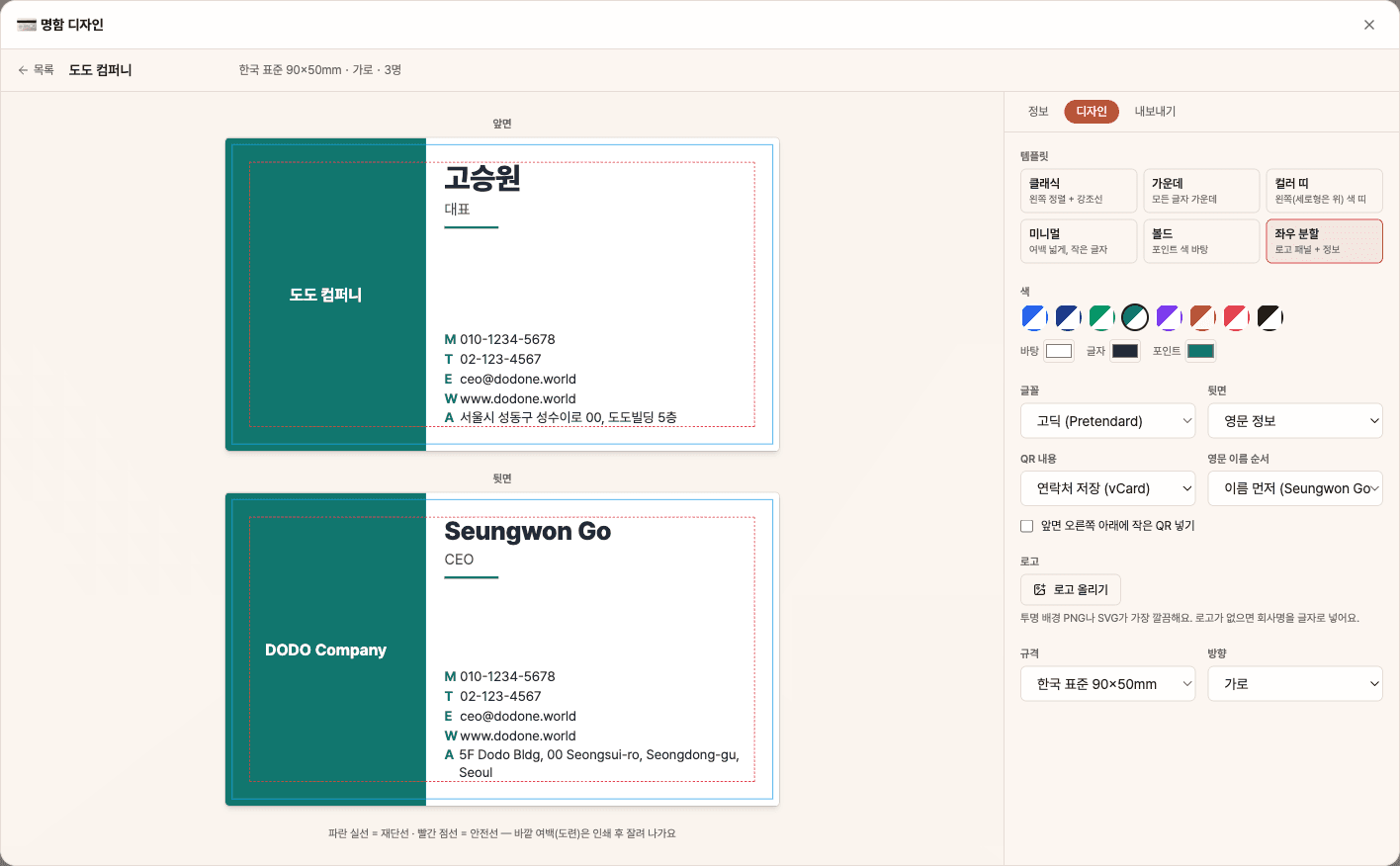
- 3Use [Fill English Side] to get the English back, and edit if needed. In the Design tab, set the back, QR, and logo.
- 4In the Export tab, save the current person or all as print-ready PDF, PDF with crop marks, or PNG.
Features in detail
6 templates · 4 back options · Korean and global sizes
Pick a classic, centered, color-band, minimal, bold or split front, and an English-info, logo + slogan, QR + website or single-sided back. Korean 90×50 mm (92×52 with 1 mm bleed), US, EU and Japanese sizes in landscape or portrait, 8 palettes or custom colors, sans or serif. Long text is scaled down by code so nothing crosses the safety line.
Whole team · AI English text · contact QR
Up to 50 people in one design — company name, address, main phone and website are shared, while name, title, department, mobile and email are per person. [Fill English text] romanizes names (family-first or given-first), maps Korean job titles to English conventions, and translates departments, company and address — it never invents anything for blank fields. Add a vCard QR that opens a save-contact screen when scanned.
Print PDF · trim proof · PNG
Export a print-ready PDF with bleed and embedded fonts — one page per side for each person, for the current person or everyone — plus a proof PDF showing trim and safety lines, and 300 dpi PNGs.
FAQ
Q.Can I send the file directly to the print shop?
Yes. Korean standard size is 90×50mm with a 1mm bleed, for a working size of 92×52mm, and fonts are embedded. The file is in RGB, so colors may shift slightly when the print shop converts to CMYK—please check the proof.
Q.Is the English side accurate?
Names follow Korean romanization rules and common surname spellings, and job titles follow English business card conventions. If your company has a set English name, please edit it. AI will not make up information for blank fields.
Q.What goes in the QR code?
You can choose between contact info (vCard) or a website address. A contact QR lets people save your info instantly by scanning with their phone camera.
This app — and every work app — is free for DoDone subscribers
New work apps keep shipping, at no extra cost while you're subscribed. Tap Use and run it from 'My Work Apps' inside DoDone.