Book Cover Designer
Free with subscriptionDesign the front, back and spine as one set — then transparent 3D covers, place mockups and a print-ready spread PDF with 3 mm bleed
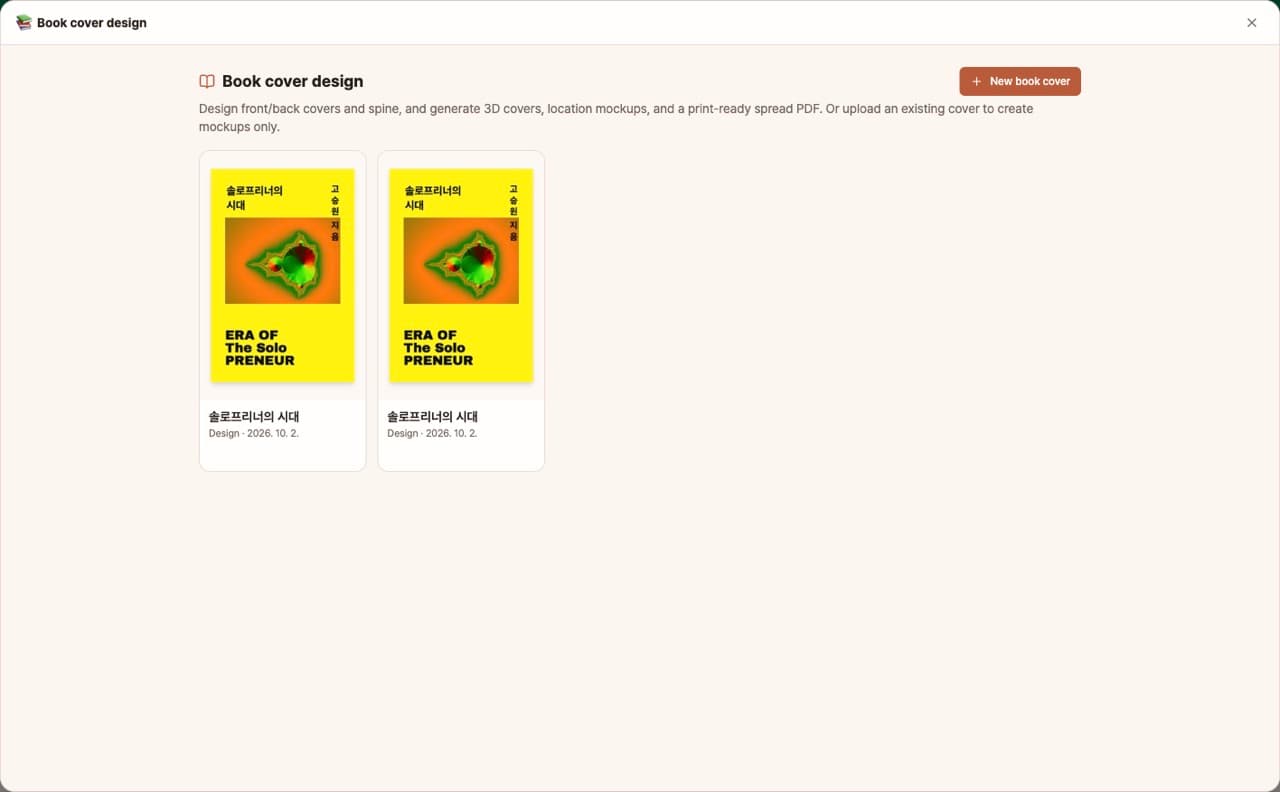
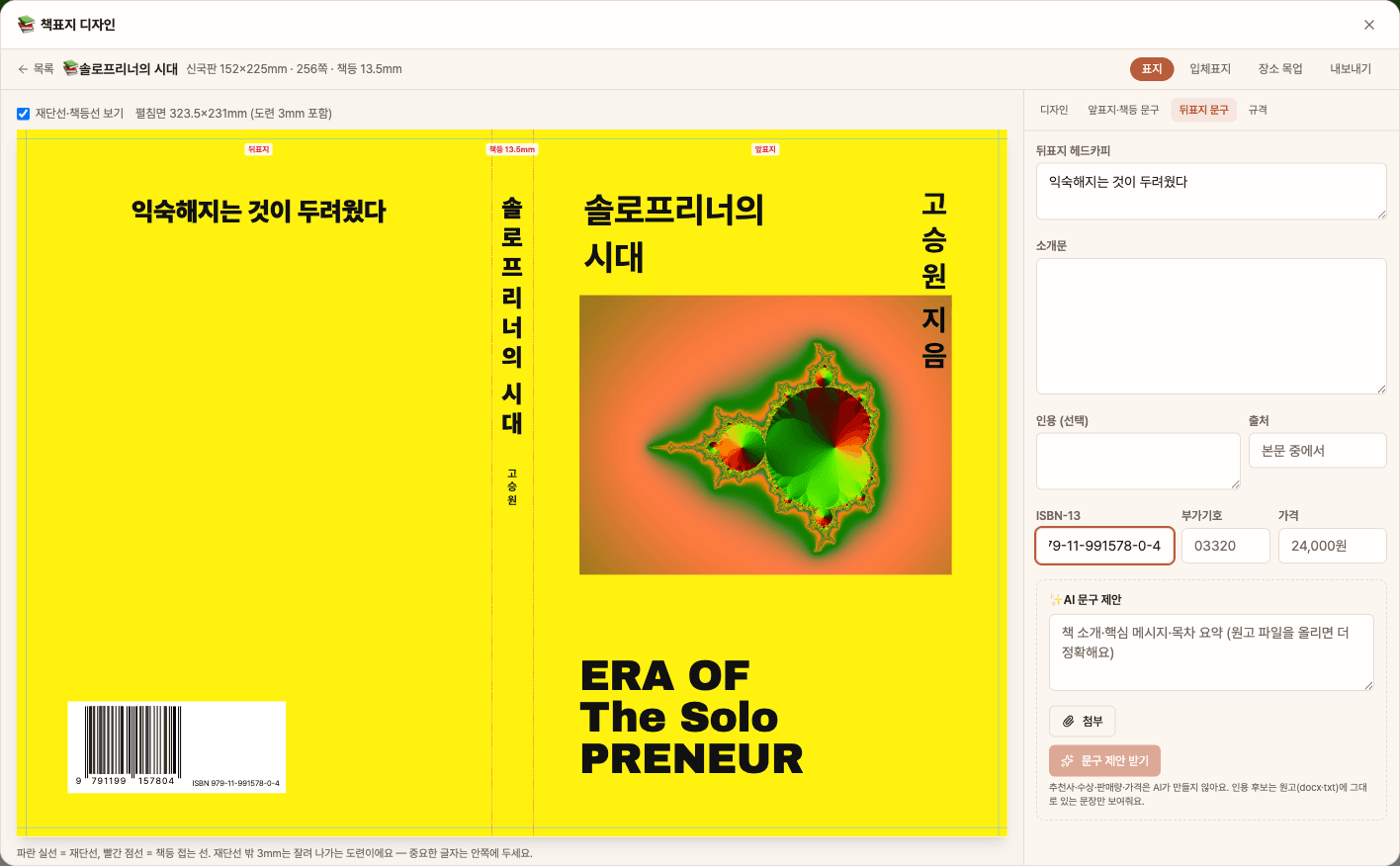
To publish a book, you need to design not only the front cover but also the back cover and spine to match the trim size and page count, and prepare separate files for 3D promotional covers, mockup photos, and print-ready spreads for the printer. With the book cover designer, just enter the title, author, trim size, and page count, and it will create a set of front, back, and spine covers. You can also generate transparent 3D covers, location mockups, and print-ready PDF spreads with 3mm bleed—all in one place.
Sign in and tap Use — the app appears inside DoDone.
Who it's for · what for
Solo publishers & independent authors
Create cover drafts without a designer and send print-ready spread PDFs with the correct spine width directly to the printer.
Ebook & POD authors
Use the front cover and 3D cover PNGs to make images for your sales and product detail pages.
Publishing marketers
Generate multiple promotional images for social media and ads using location mockups of your book on a café table, bookstore shelf, or desk.
How to use
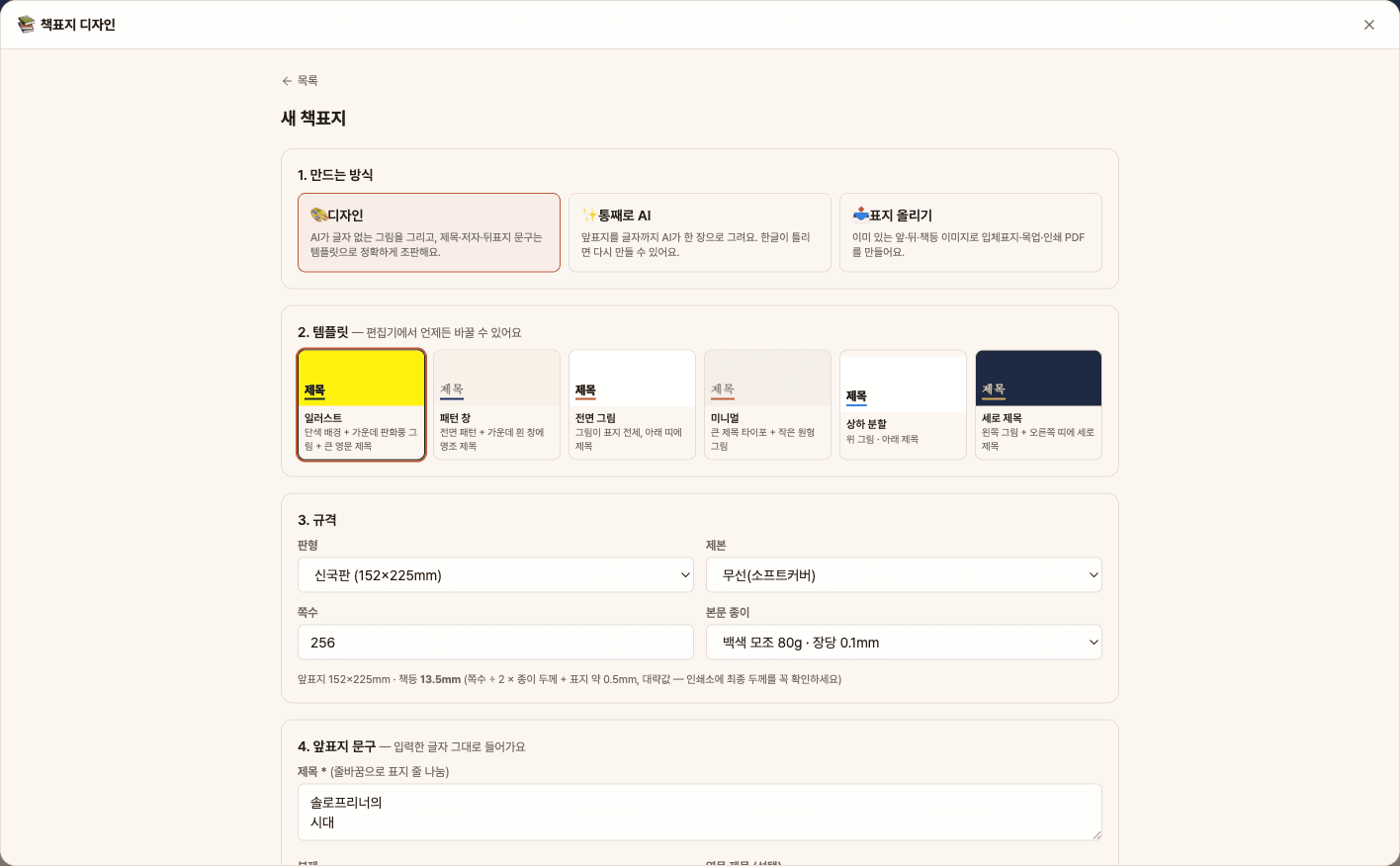
- 1[New Book Cover] → Choose how to create (Design, All with AI, Upload Cover), pick a template, trim size, binding, page count, and paper, then enter the title and author.
- 2In the [Cover] tab, create AI artwork or upload a photo, adjust colors, fonts, and edit the front cover/spine text.
- 3In [Back Cover Text], add a headline, description, ISBN, and price, or use [Suggest Text] to get AI-generated options.
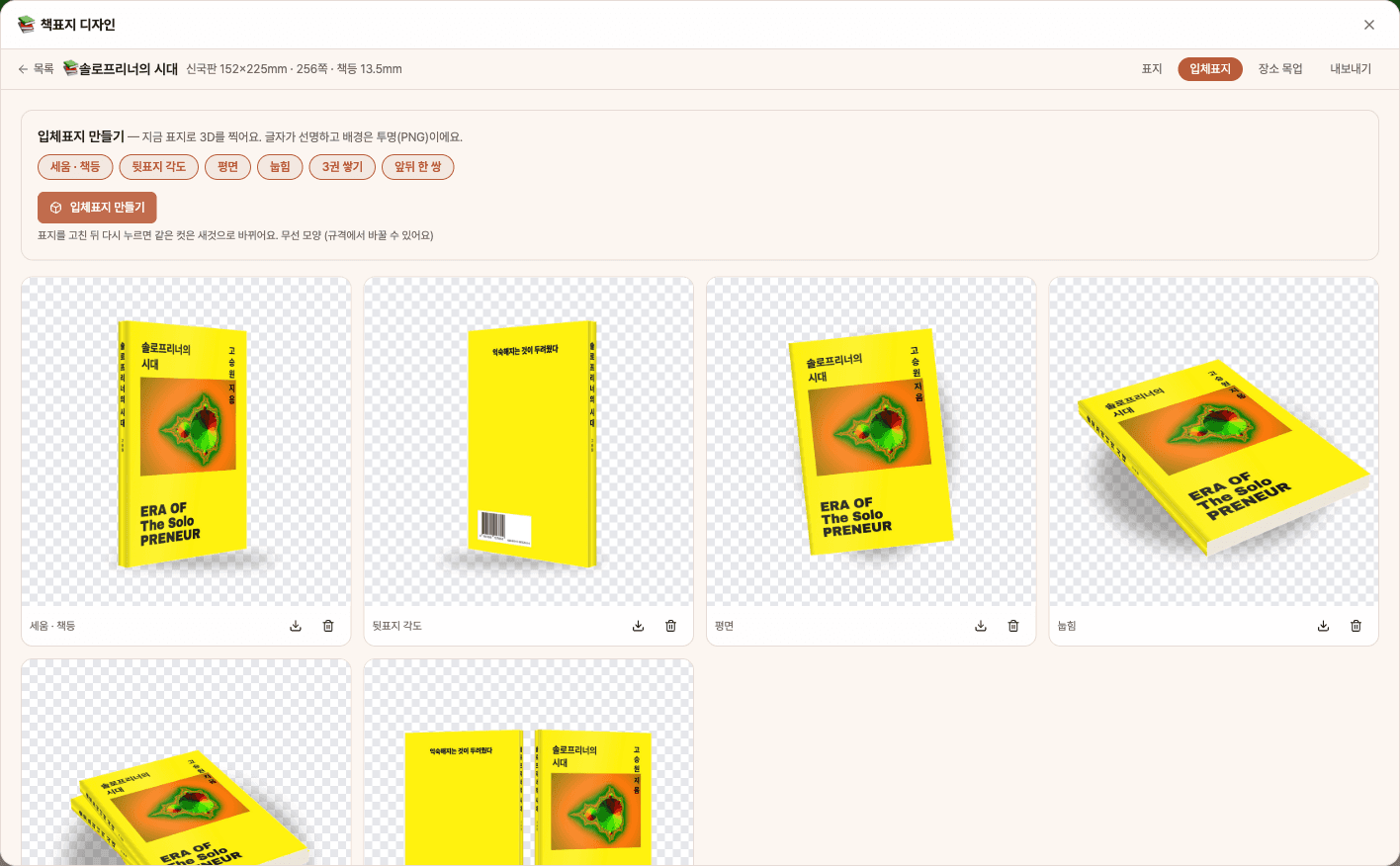
- 4In the [3D Cover] and [Location Mockup] tabs, create promotional images, then save print-ready spread PDFs, crop mark PDFs, and individual PNGs from [Export].
Features in detail
6 templates · all-AI front · upload your own
Drop text-free AI artwork into one of six templates — illustration, pattern window, full-bleed art, minimal, split and vertical title — while the title, author and back-cover copy are typeset exactly by code. Or have AI draw the whole front cover, lettering included, or upload front, back and spine images you already have and go straight to 3D covers, mockups and the print PDF. Front, back and spine are edited as one set sharing colors, fonts and art.
Auto spine width · ISBN barcode · back copy that never invents
Spine width is calculated from trim size (Korean standard sizes, A5 or custom), page count and paper, and spine lettering can be stacked vertically or rotated 90°. Enter an ISBN-13 and add-on code and the EAN-13 + EAN-5 barcode is drawn by code. Give AI your blurb, table of contents or manuscript and it suggests a headline, description and quotes — it never invents endorsements, awards or sales figures, and only offers quotes that actually appear in your manuscript.
6 3D shots · place mockups · print-ready spread PDF
Render standing, back-angle, flat, lying, stack-of-three and front-and-back pair shots in paperback or hardcover shape as crisp, transparent-background PNGs. For place mockups, AI sets your 3D cover in one of 12 scenes — cafe, bookstore, city street and more — or a scene you describe, in 1:1, 4:5 or 16:9, one to four at a time. For the printer, export a back + spine + front spread PDF with 3 mm bleed (fonts embedded), plus a trim-line proof PDF and 300 dpi PNGs of each side.
FAQ
Q.Can I send the files directly to the printer?
Yes. The spread includes the back cover, spine, and front cover with an added 3mm bleed, and fonts are embedded. The spine width is calculated based on an approximate paper thickness, so please confirm the final thickness with your printer and adjust the number accordingly. The files are in RGB, so colors may shift slightly if converted to CMYK.
Q.Will the AI make up endorsements or awards?
The back cover text suggestions do not generate endorsements, awards, sales numbers, or prices. For quotes, only sentences actually found in your uploaded manuscript are shown. Only the price and ISBN you enter will appear.
Q.Why is the text blurry in location mockups?
For location mockups, the AI redraws the scene, so small text on the spine may become blurry or altered. If the text is important, use the transparent background PNG from the [3D Cover] tab. Image generation requires an image model set in Settings > Models.
This app — and every work app — is free for DoDone subscribers
New work apps keep shipping, at no extra cost while you're subscribed. Tap Use and run it from 'My Work Apps' inside DoDone.