Export Product Catalog
Free with subscriptionEnter company and product info in Korean; get English (plus Japanese, Chinese, and more) catalog copy as an A4 PDF for buyer meetings and trade shows
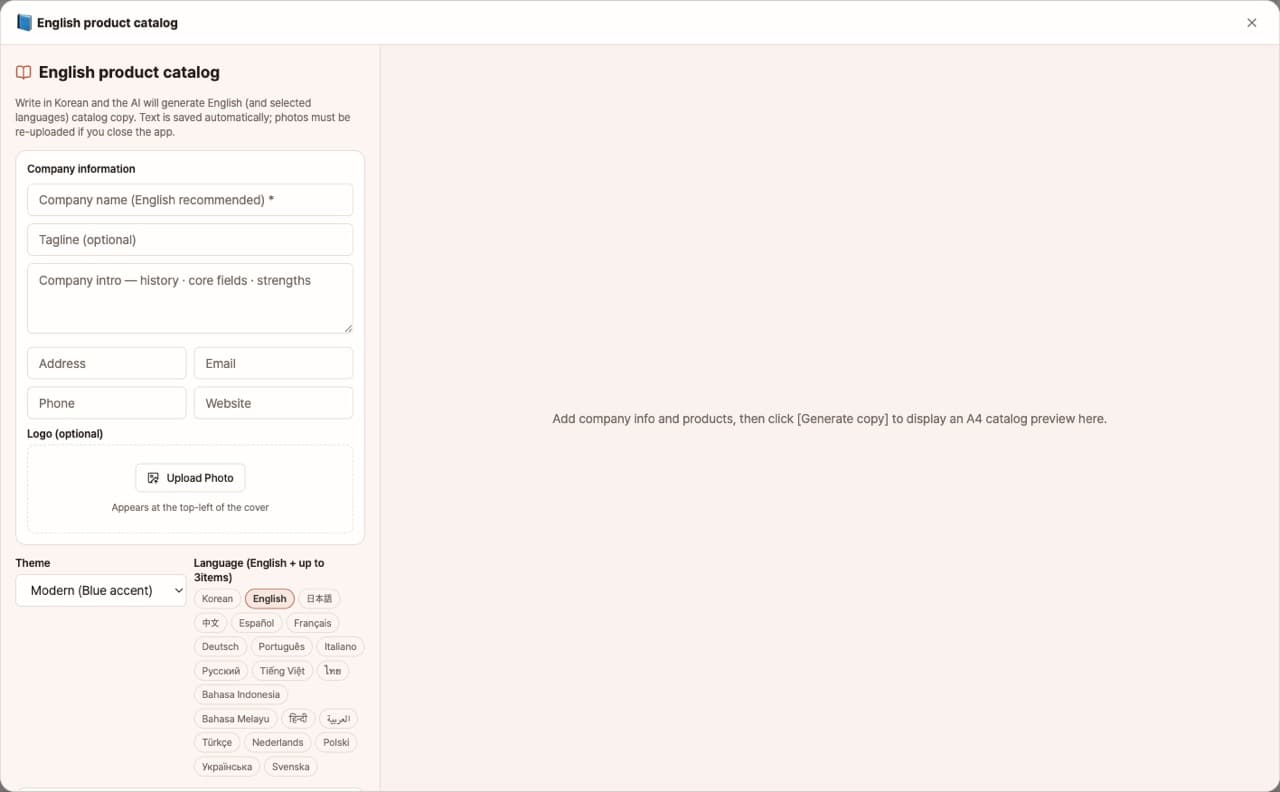
When dealing with overseas buyers or attending exhibitions, you need an English catalog, but translation and design costs can be a burden. With this app, simply enter your company information and product details (photos, descriptions, specs) in Korean, and AI will write English catalog copy and create an A4 PDF with a cover, company introduction, product pages, and contact information. You can also select up to three additional languages, such as Japanese or Chinese.
Sign in and tap Use — the app appears inside DoDone.
Who it's for · what for
Manufacturers preparing for export
Prepare English and Japanese catalogs as PDFs before exhibitions.
Trading and distribution companies
Send product catalogs in each buyer’s language.
How to use
- 1Enter your company information (introduction, contact details, logo).
- 2Add products (photos, descriptions, specs). You can write in Korean.
- 3Choose the languages (English + up to 3 more) and a theme, then click [Generate].
- 4Download the A4 PDF to print or send by email.
Features in detail
Type in Korean, get an English catalog
Enter your company name, tagline, intro, contacts, logo, and each product’s photo, description, and specs in Korean; the app writes export-grade English headlines, descriptions, bullets, and spec tables from those facts alone.
Up to three extra languages · three themes
Add up to three more languages — Japanese, Chinese, Spanish, and others — each as its own catalog. Choose modern (blue), industrial (dark, orange), or minimal (black and white).
A4 PDF — cover, company intro, one page per product, contacts
Polish the copy in the preview, then export to PDF: a cover, company intro, one page per product, and a contact back page — ready to print for a trade show or attach to a buyer email.
FAQ
Q.Is the translation of technical terms accurate?
If you include English terms for industry jargon in the knowledge base or product descriptions, they will be used as is.
Q.Is there a limit to the number of products?
There’s no limit, but since each product gets its own page, we recommend splitting into volumes if you have more than 20 products.
This app — and every work app — is free for DoDone subscribers
New work apps keep shipping, at no extra cost while you're subscribed. Tap Use and run it from 'My Work Apps' inside DoDone.