Cold Email Sender
Free with subscriptionCollect recipients from Excel or keyword prospecting, then send AI-written personalized emails in polished templates
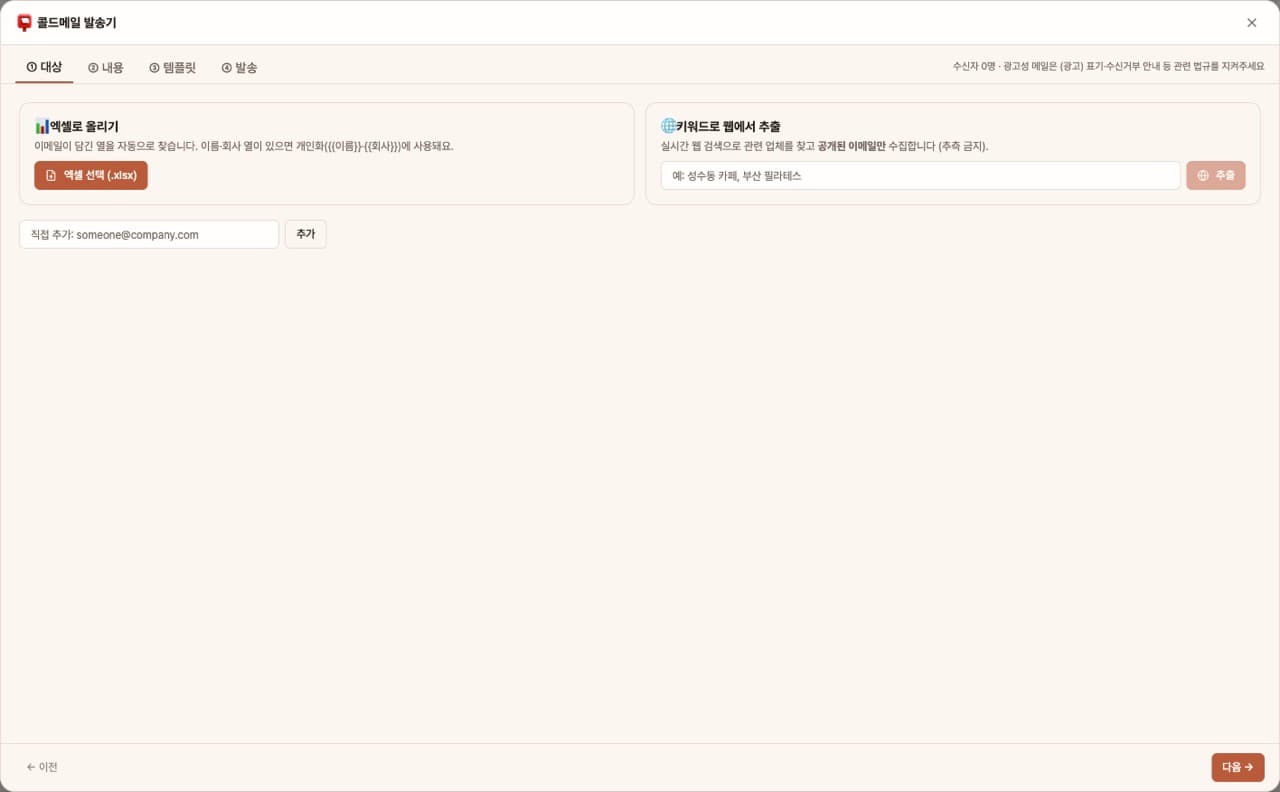
The more personalized your proposal emails to potential clients are, the more replies you'll get. This app lets you create a recipient list by uploading Excel files or extracting from the web with keywords. AI then personalizes each email with {{name}} and {{company}}, fills it into one of four HTML templates, and sends them sequentially via Gmail.
Sign in and tap Use — the app appears inside DoDone.
Who it's for · what for
B2B sales & startup founders
Send personalized proposal emails to key contacts at target companies.
Freelancers & agencies
Send portfolio introduction emails to your list of potential clients.
How to use
- 1Connect Gmail in Settings > Plugins.
- 2Upload your recipient list as an Excel file or extract it from the web using keywords.
- 3Enter your proposal content and tone—AI will write a personalized message. Choose a template.
- 4After previewing, click [Send] to send emails one by one and track the results.
Features in detail
Three ways to build your list
Upload an Excel file (email column auto-detected, name/company used for personalization), prospect the web by keyword collecting only published addresses, or add manually — duplicates removed automatically.
AI copy with {{name}}/{{company}} tokens
Give the purpose, product, and tone — the AI writes a hook → value → low-friction CTA subject and body. Tokens are swapped per recipient at send time.
4 HTML templates + sequential Gmail sending
Pick from Clean White, Color Accent, Letter Card, or Dark Premium with live preview, then send sequentially via Gmail SMTP (1.5s apart) with progress, per-recipient results, and an automatic unsubscribe note.
FAQ
Q.Will my emails end up in spam?
Emails are sent at intervals within Gmail's sending limits. Including an unsubscribe option and sending relevant content are most important.
Q.How many emails can I send per day?
It follows the daily sending limit of your Gmail account type. The app will stop sending when you approach the limit.
This app — and every work app — is free for DoDone subscribers
New work apps keep shipping, at no extra cost while you're subscribed. Tap Use and run it from 'My Work Apps' inside DoDone.