Multi-channel Marketing Copywriter
Free with subscriptionOne input, five channels — blog, Instagram, newsletter, press release, and an AI image prompt at once
When you have a new product or event, you usually have to write separate posts for your blog, Instagram, newsletter, and press release. With this app, just enter your product information once and it will instantly generate copy for five different channels, each in the right format. It also gives you an English prompt you can use to create ad images.
Sign in and tap Use — the app appears inside DoDone.
Who it's for · what for
Solo entrepreneurs & small business owners
When announcing a new menu item or seasonal event, you can get copy for each channel at once and post it the same day.
Startup marketers
Align your press releases, SNS captions, and newsletters with the same message to keep your tone consistent.
Online store & brand managers
Save time on repetitive product introductions and maintain your brand voice with tone presets.
How to use
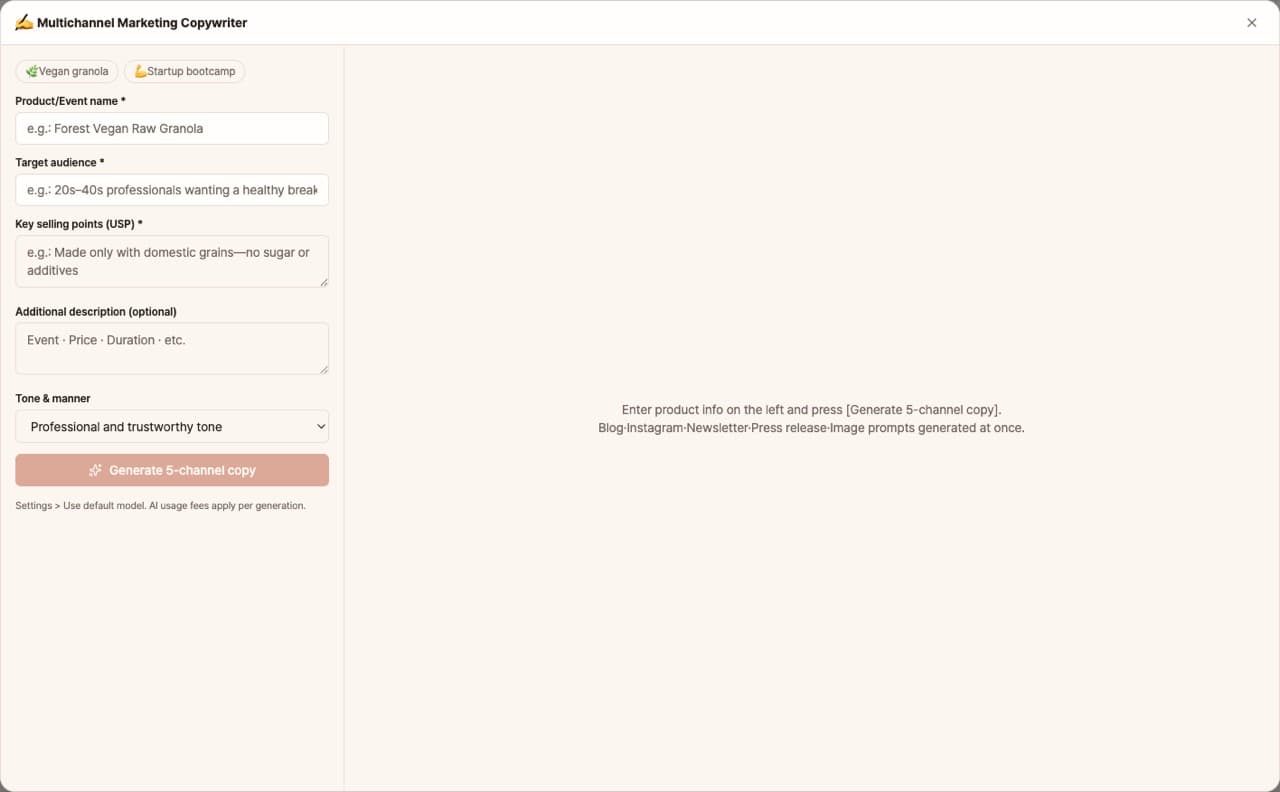
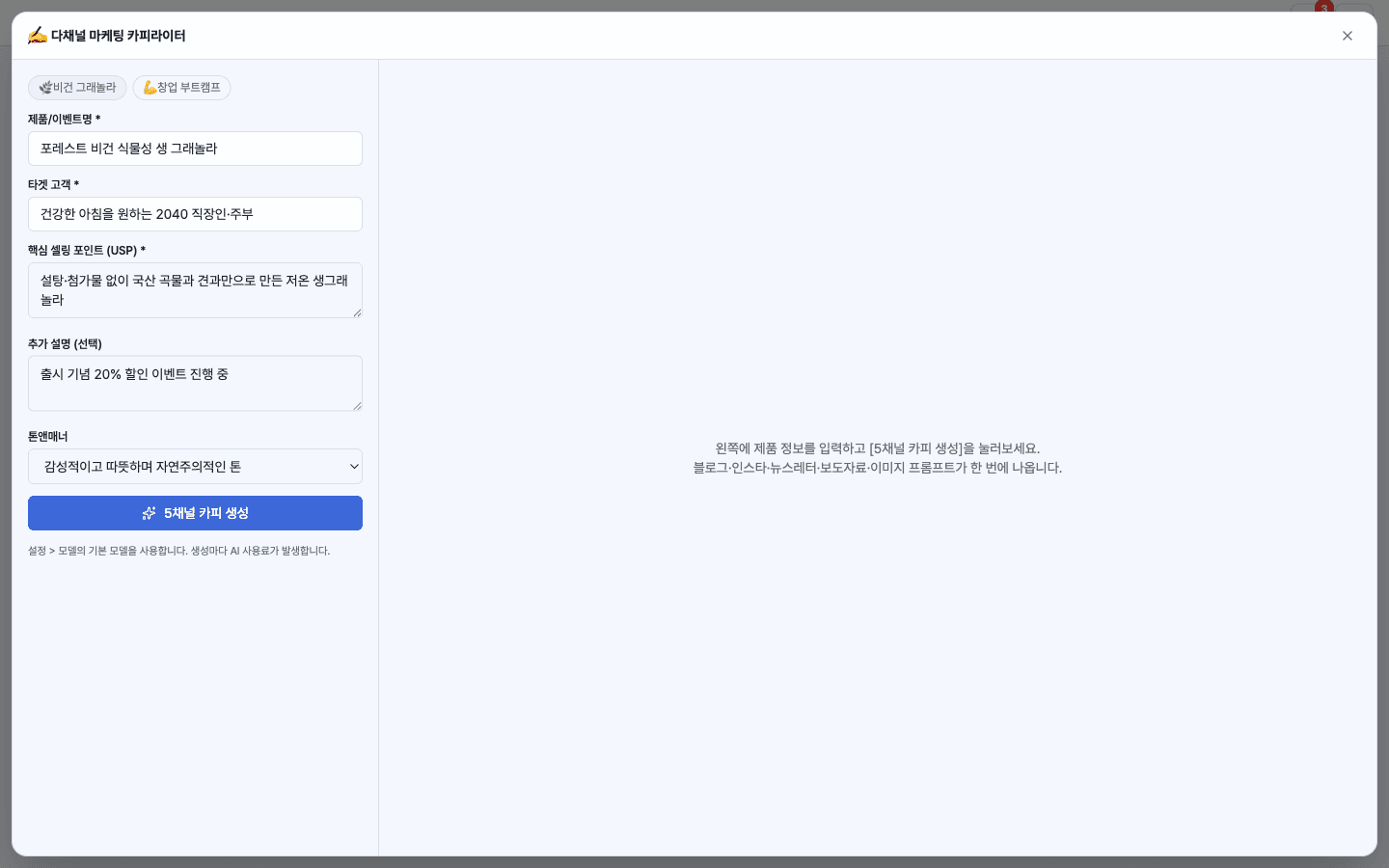
- 1Enter the product/event name, target customer, key selling points, and tone & manner. You can also use the sample template to fill it in.
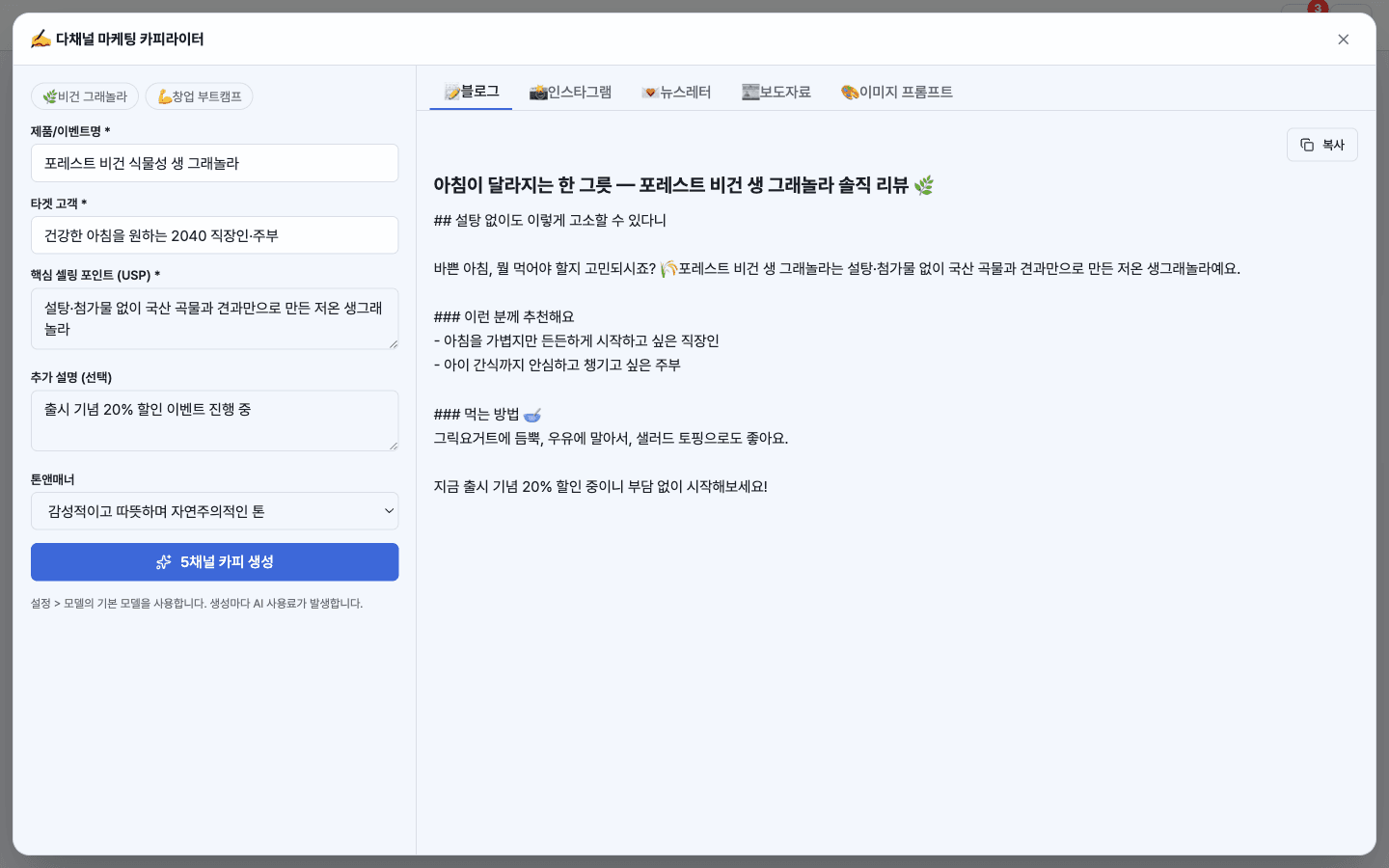
- 2Click [Generate] and the Blog, Instagram, Newsletter, Press Release, and Image Prompt tabs will all be filled at once.
- 3Use the [Copy] button in each tab to paste the copy wherever you need.
- 4Hand off the image prompt to your DoDone designer or a poster app to create your ad visuals.
Features in detail
Five channels in one shot
Enter your product, target audience, USP, and tone — and get channel-optimized copy in a single generation: an SEO-structured blog post, an Instagram caption with a hook and hashtags, a newsletter with a click-worthy subject, and a formal press release with a founder quote.
AI image prompt for ad visuals
Alongside the copy, it produces mood keywords and a high-end English prompt for Midjourney/DALL-E — hand it straight to a DoDone image-gen employee to produce the actual ad visual.
Tabbed preview + one-click copy
Results are organized in per-channel tabs with one-click copy. Five tone presets and starter templates get you going fast.
Runs on your configured model
No extra subscription or API key — it uses the default model you already configured in DoDone.
FAQ
Q.Do I have to enter my company information every time?
If you add your company and product info in Settings > Knowledge Base, it will be reflected in your copy. In the app input, just enter the key points for this case.
Q.I want to change the tone of the copy.
Choose from 5 tone presets (friendly, professional, witty, etc.) or write your own. If you’re not satisfied with the result, make your selling points more specific and generate again.
Q.How much does the AI cost?
It’s the cost of one text model call. The default text model in Settings > Models is used, and you don’t need a separate key or subscription.
This app — and every work app — is free for DoDone subscribers
New work apps keep shipping, at no extra cost while you're subscribed. Tap Use and run it from 'My Work Apps' inside DoDone.