Leaflet Designer
Free with subscriptionPick a leaflet type and fill in the details — AI plans and writes a 2-, 3- or 4-panel leaflet, ready to print with bleed
To create flyers for events, stores, education, or products, you usually need to use a design program and handle page sizes, folding order, and bleed settings. With the Flyer Designer, just choose a type and enter your information—AI will lay out the content and text for each panel of 2-fold, 3-fold, or 4-fold flyers. You can add photos or generate them with AI, and then instantly create a print-ready PDF with bleed to send straight to your print shop.
Sign in and tap Use — the app appears inside DoDone.
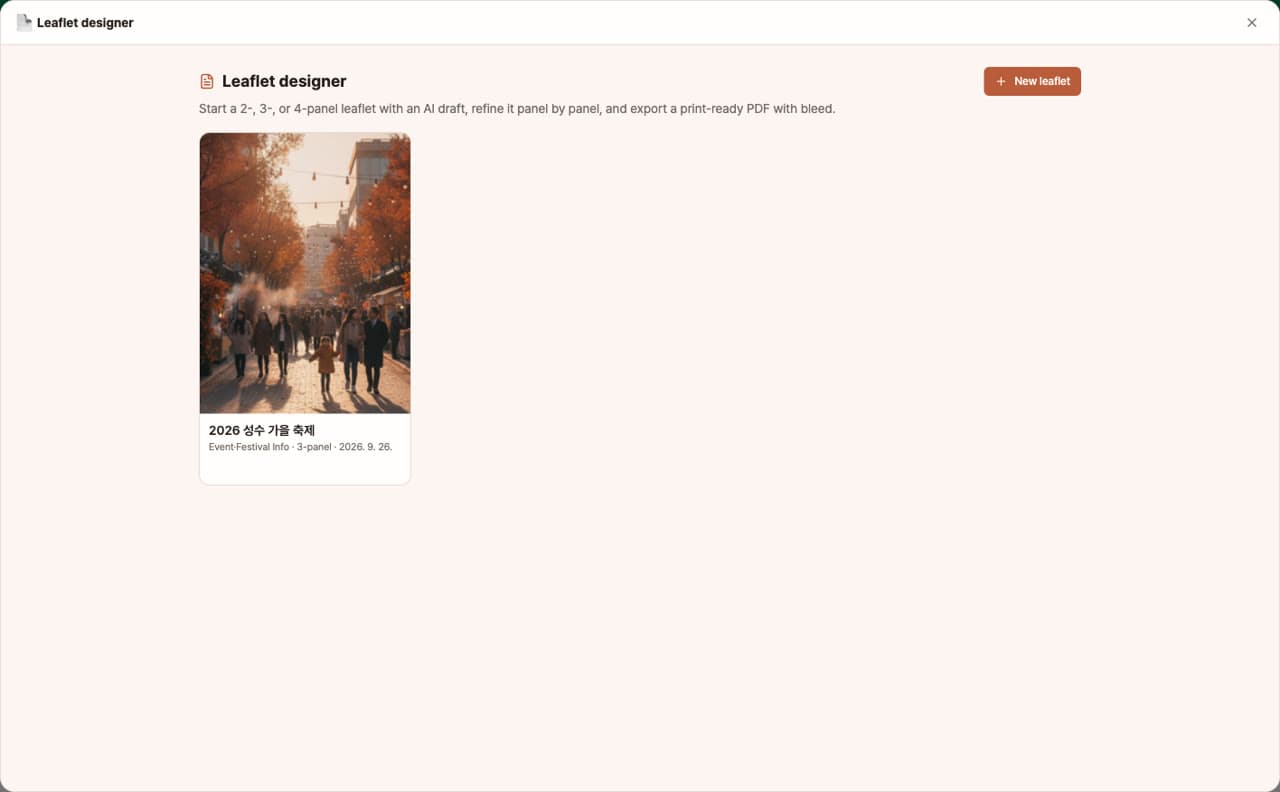
Who it's for · what for
Small business & store owners
Easily create store guides, new menu, or discount event flyers yourself and send them to your local print shop.
Event & education managers
Quickly make festival schedules or course curriculum flyers using your actual schedule data.
Startups & marketers
Add a trial QR code to your service introduction flyer and hand them out at exhibitions or trade shows.
How to use
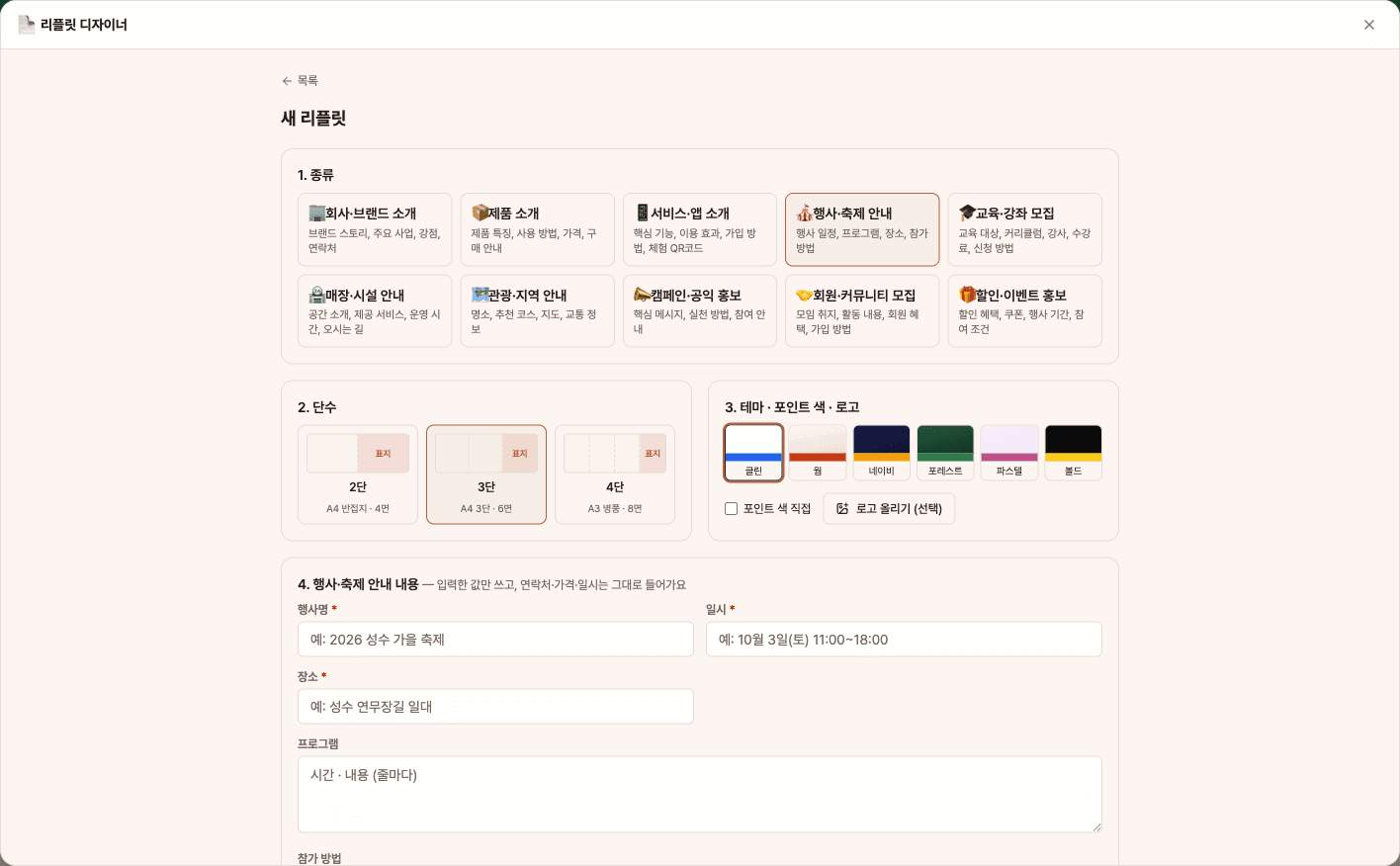
- 1[New Flyer] → Choose one of 10 types, select 2-fold, 3-fold, or 4-fold, pick a theme, accent color, and logo.
- 2Fill in the fields for your chosen type (name, date/time, location, price, contact info, website, etc.), and upload photos or reference materials if you have them.
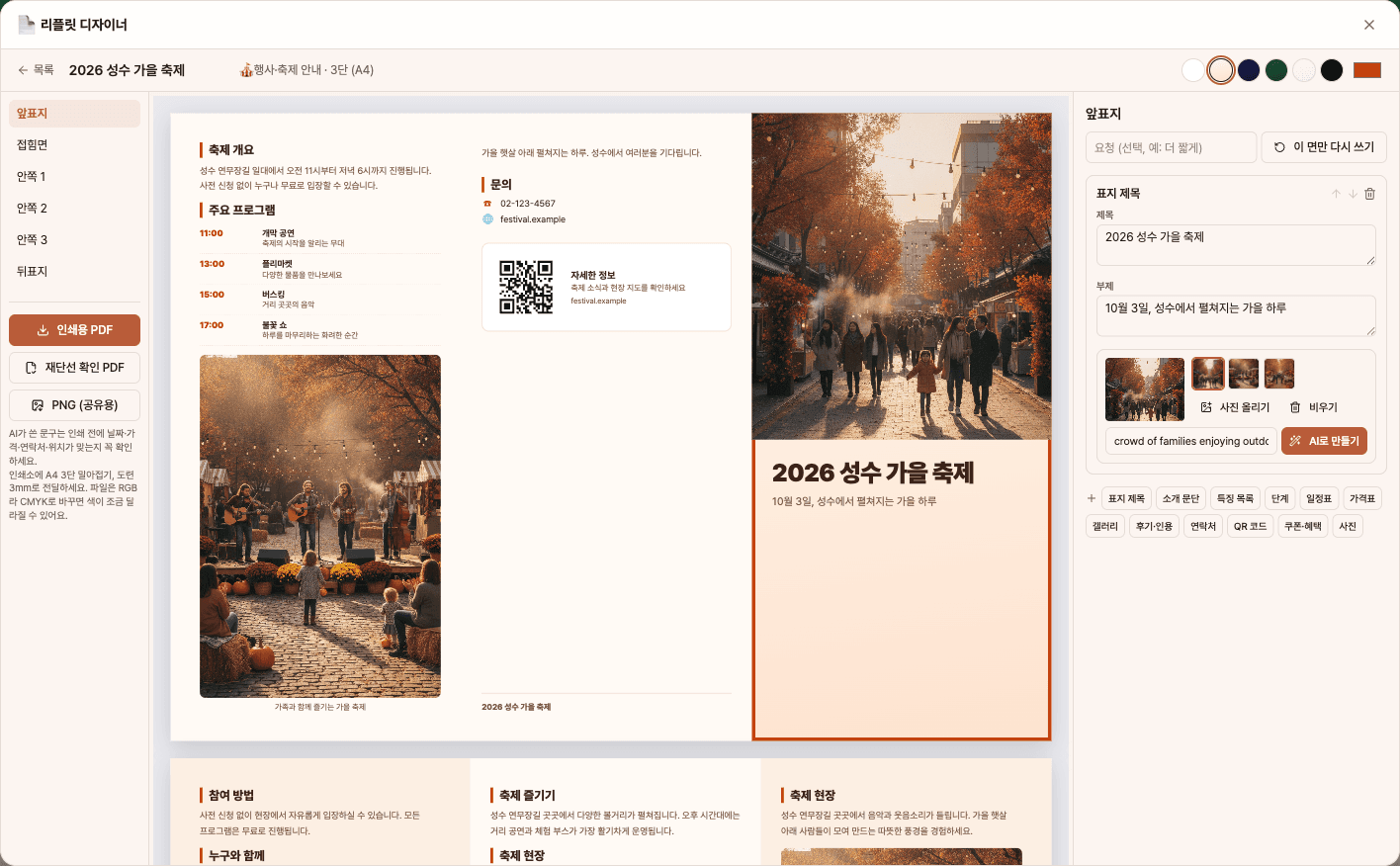
- 3Click [Generate AI Draft] to automatically fill each panel with blocks and text, and create a cover image.
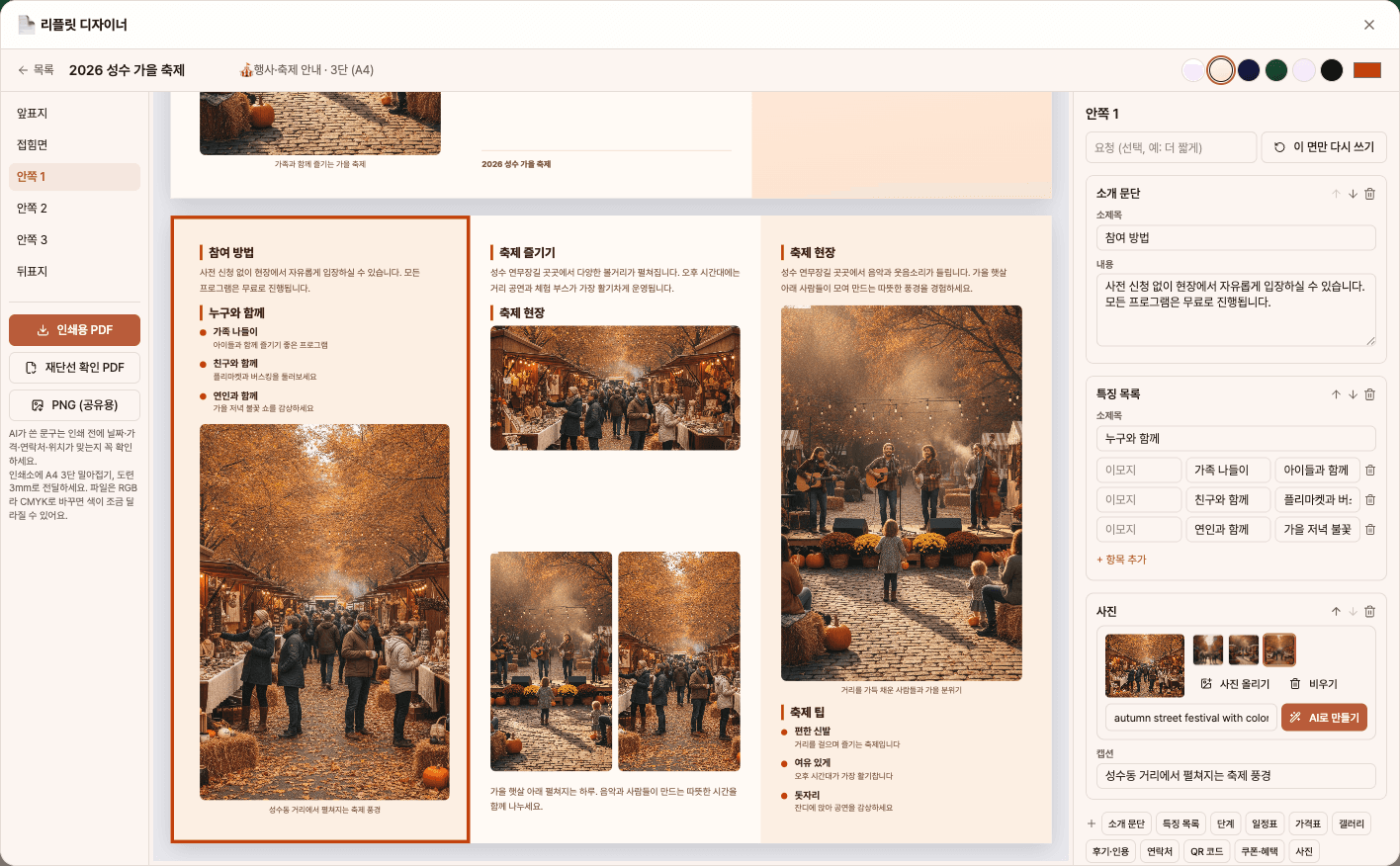
- 4In the preview, click on a panel to edit text, photos, or blocks, then export as [Print PDF], [Trim Line PDF], or [PNG].
Features in detail
10 leaflet types · 2, 3 or 4 panels · real print specs
Choose from company/brand, product, service/app, event/festival, course enrollment, store/facility, travel/local guide, campaign, community membership, or sale/event — each type gets its own input fields. 2-panel is an A4 half fold, 3-panel an A4 roll fold (the fold-in panel 3 mm narrower), and 4-panel an A3 accordion fold; panel sizes, fold order and 3 mm bleed are set exactly by code.
AI drafts each panel · your photos or AI images
AI plans each panel from front to back cover with blocks — features, steps, schedule, price list, gallery, coupon, contact, QR and more (12 types) — writes the copy, and places your photos where they fit. Fill empty slots with AI images; one cover image is generated with the draft. Prices and testimonials you did not provide are never added, and contact details and the website (QR) are used exactly as entered.
Edit panel by panel · print PDF, proof and PNG
Click a panel in the preview to edit the copy, add, remove or reorder blocks, or rewrite just that panel with a request. Six themes, an accent color and your logo apply instantly, and you are warned if text overflows a panel. Export a print-ready PDF with bleed (fonts embedded), a trim/fold-line proof PDF, and PNGs for sharing.
FAQ
Q.Can I send the file directly to the print shop?
Yes. Files are created with embedded fonts and print sizes including 3mm bleed (3-fold: 303×216mm, 4-fold: 426×303mm). Files are in RGB, so colors may shift slightly when the print shop converts to CMYK—please check your proof.
Q.Will AI make up prices or reviews?
No. The system blocks any made-up prices or review sentences if you haven't entered them. Contact info and website addresses are only used as you entered. Still, please double-check dates, prices, and locations before printing.
Q.Is it okay if I don't have photos?
Yes. Empty image slots can be filled with [Generate with AI], and a cover image is automatically created with the draft. Image generation requires an image model set in Settings > Models.
This app — and every work app — is free for DoDone subscribers
New work apps keep shipping, at no extra cost while you're subscribed. Tap Use and run it from 'My Work Apps' inside DoDone.