Music Maker
Free with subscriptionTurn a prompt into songs with lyrics or BGM — every track kept in your library and the office jukebox
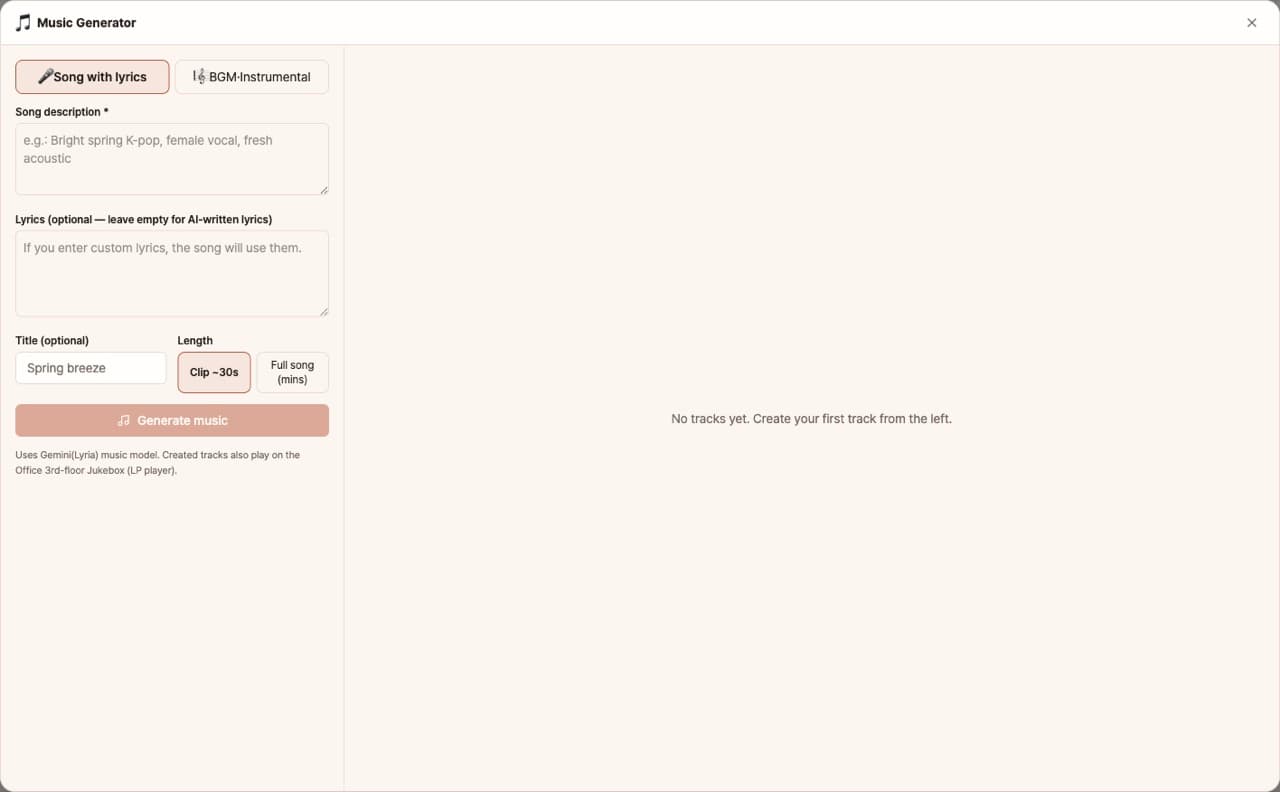
Create store BGM, video background music, and brand songs with just a prompt. Supports two tracks: songs with lyrics and BGM. Choose the length from 30-second clips to full songs. Your creations are saved with lyrics in your list and can also be played in the office jukebox.
Sign in and tap Use — the app appears inside DoDone.
Who it's for · what for
Cafés & Stores
Make copyright-free store BGM for any mood.
Video & Reels Creators
Instantly generate background music to fit your video length.
Brands & Events
Create logo songs or event theme songs with lyrics.
How to use
- 1Go to Settings > Plugins, enable music generation, and register your Google key.
- 2Choose Song/BGM, then enter mood, genre, and length. You can also add your own lyrics.
- 3Click [Generate] to play or download your track, and it will be saved to your list.
Features in detail
Songs and BGM, two tracks
Songs sing your own lyrics or AI-written ones; BGM is enforced instrumental. Store background music, brand jingles, video soundtracks.
From 30-second clips to full tracks
Clips for quick drafts, full multi-minute tracks when you need the real thing — two Google Lyria models used to fit.
A library that keeps the lyrics
Play, download, or delete from the list — with the sung lyrics saved alongside. The same library powers the office jukebox, so your tracks become office BGM instantly.
What you need
Enable the Music (Gemini) plugin and register a Google Gemini API key in Settings > Models. The app shows as disabled until both are set.
FAQ
Q.Can I use this commercially?
Usage follows the terms of service of the model provider (Google). Store and video use is allowed within those terms.
Q.I can't see the lyrics.
Lyrics are shown automatically right after generation, and you can view them anytime by opening the track in your list.
This app — and every work app — is free for DoDone subscribers
New work apps keep shipping, at no extra cost while you're subscribed. Tap Use and run it from 'My Work Apps' inside DoDone.