Product Promo Shots
Free with subscriptionOne product photo → four ad-ready shots: close-up, 45°, lifestyle, and flat lay
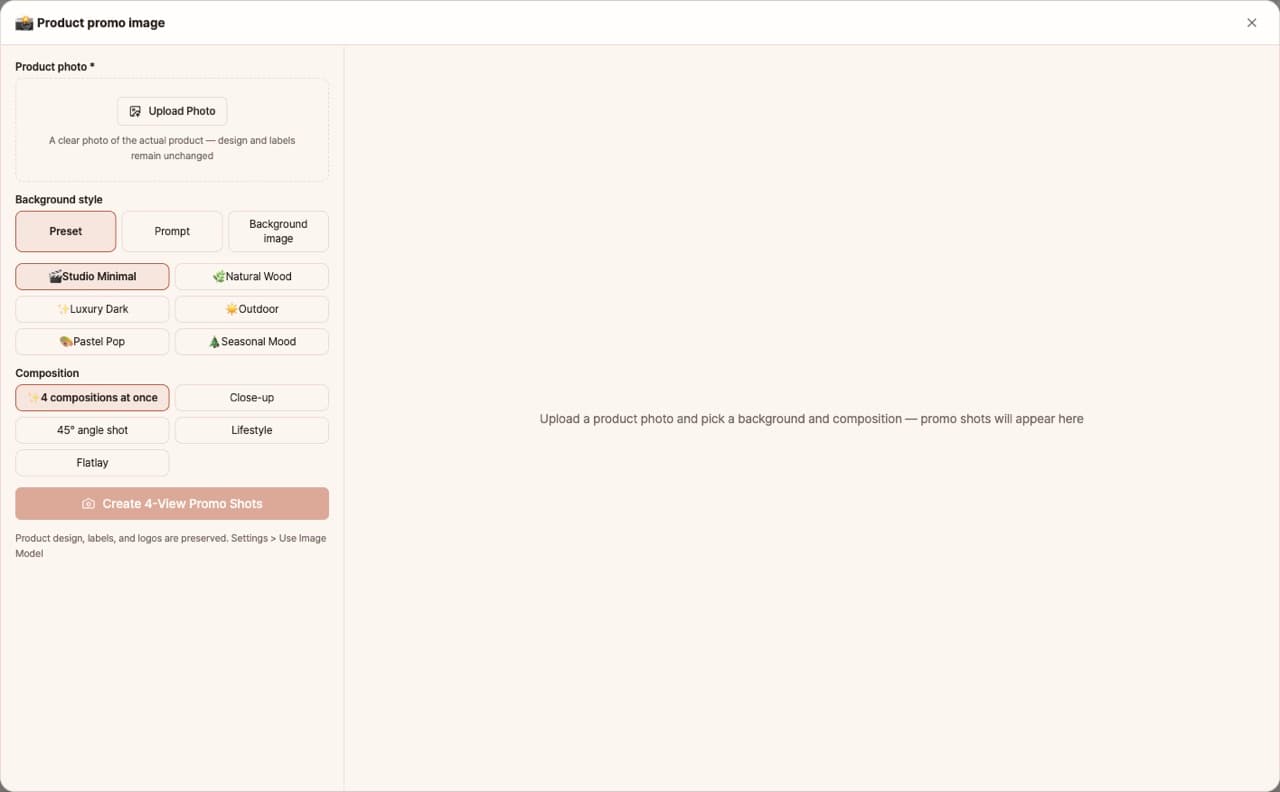
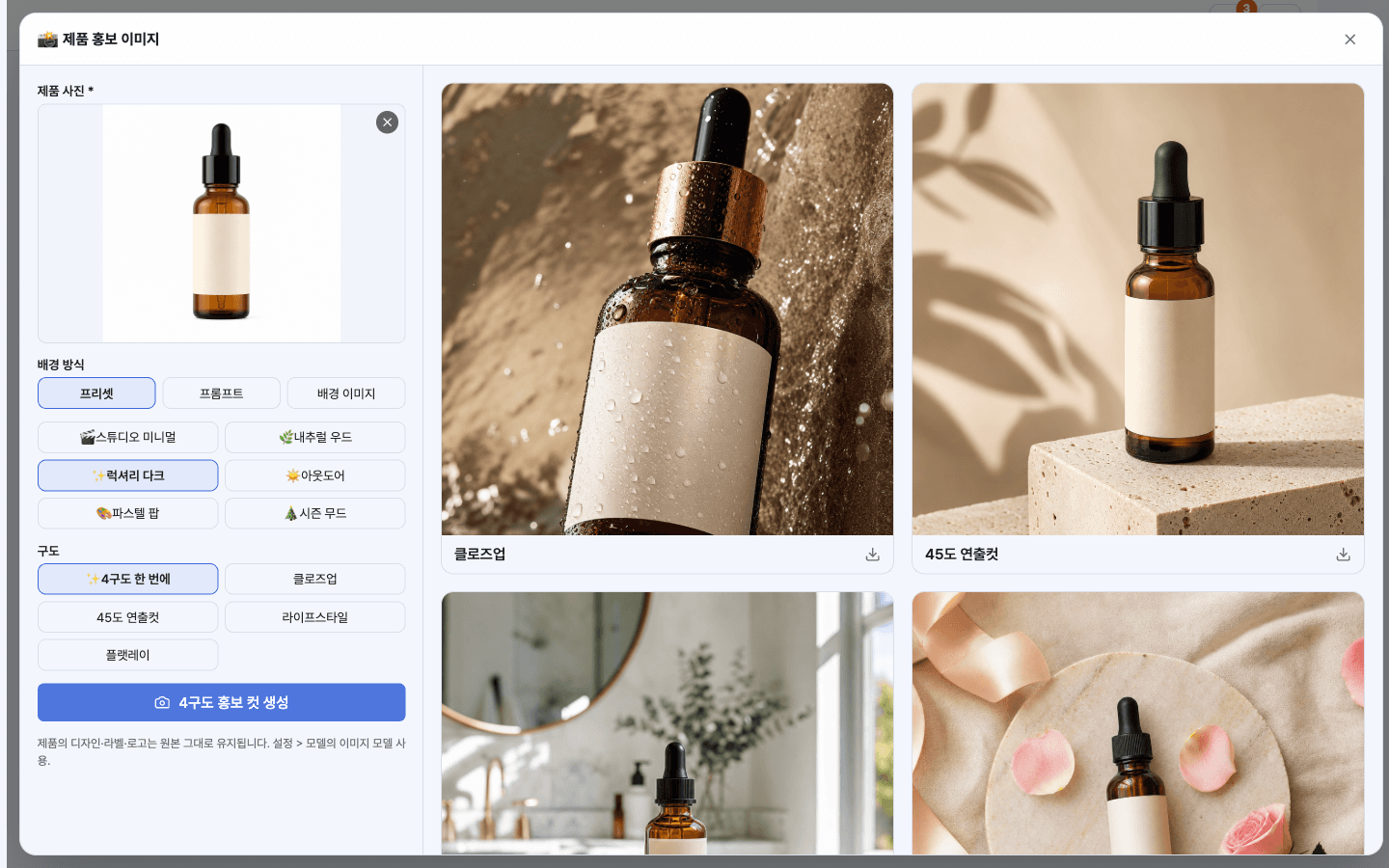
Taking product photos in a studio costs time and money. This app generates four types of advertising shots—close-up, 45-degree, lifestyle, and flat lay—from just one real product photo. You can choose the background from presets, prompts, or your own uploaded images.
Sign in and tap Use — the app appears inside DoDone.
Who it's for · what for
Smart Store & Coupang sellers
Create main images and ad materials for your product pages without a photo shoot.
Handmade & small manufacturers
Quickly prepare shots to introduce new products.
Marketers
Make multiple ad images of the same product with seasonal backgrounds.
How to use
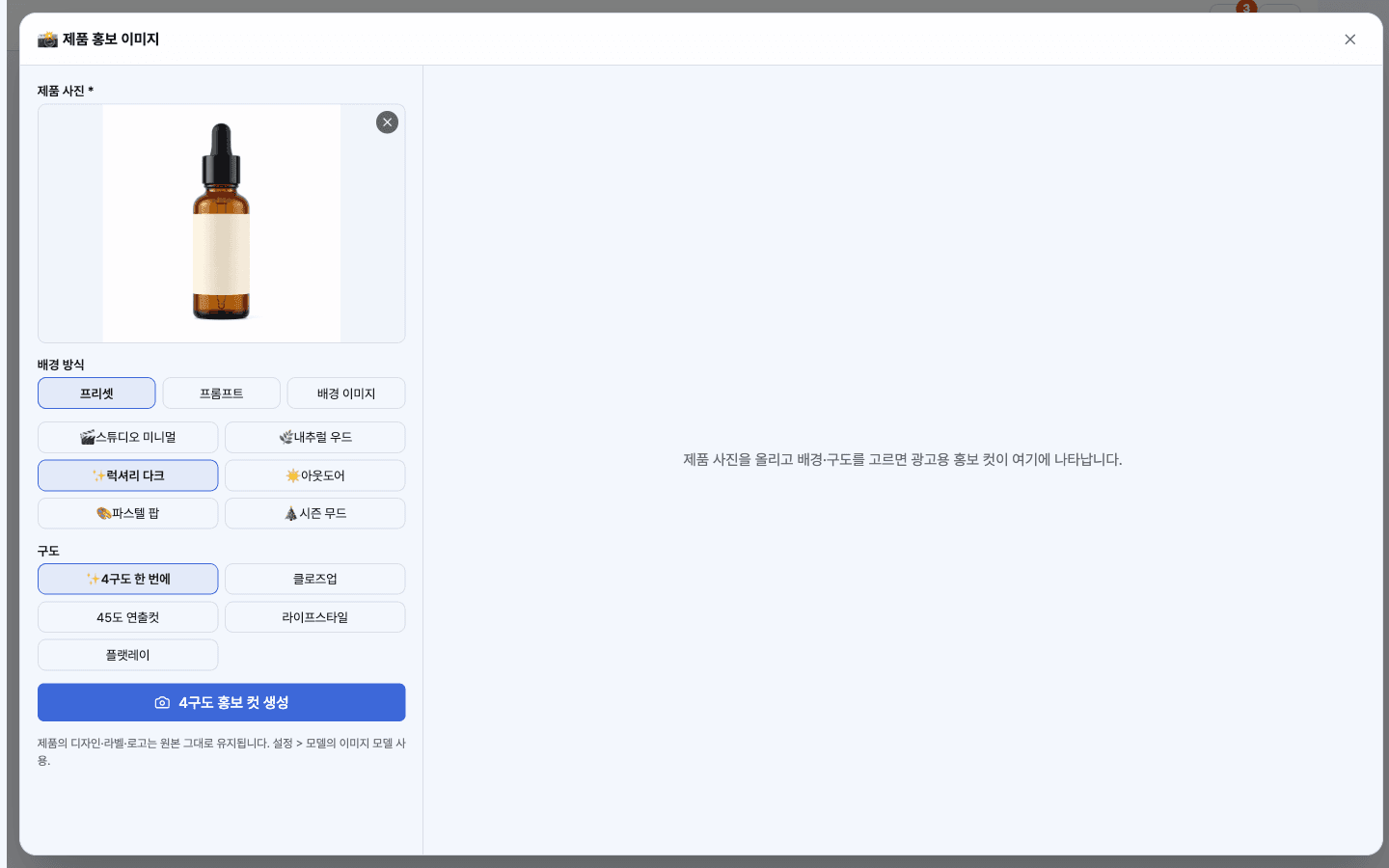
- 1Upload your product photo (a simple background works best).
- 2Choose a background method (preset / prompt / background image).
- 3Click [Generate] to get four types of images. Regenerate only the shots you don't like.
- 4Save and use them on your product page or social media.
- 5Click the [Angle] button for a shot and drag the camera above the model to set the angle, or use [12 Best Angles] to create multiple angles at once.
Features in detail
Any shot from other angles
Press [Angle] on any promo shot, then drag the camera around the orbit sphere to pick an angle — or turn on [12 best angles] for a front, three-quarter, profile, top-down, low/high, close-up and wide set at once. The multi-angle images a product page needs. Design, label and background stay unchanged.
Same product, new shoot
The product stays pixel-faithful — design, label, logo, colors — while lighting, reflections, and shadows are rebuilt to ad quality.
Three background modes
Six presets, a free-form prompt ("on a beach table at sunset"), or upload your own background photo — the product is blended to match its lighting and perspective.
Four compositions at once
Generate close-up, 45° styled, lifestyle, and flat-lay shots in parallel — or just the one you need.
FAQ
Q.Will the product's shape change?
The app is instructed to keep the product true to the original. For products with many logos or text, please check and request edits if needed.
Q.Can I put multiple products in one shot?
The default is one product at a time. For multiple products, create each one separately and arrange them in the product page app.
This app — and every work app — is free for DoDone subscribers
New work apps keep shipping, at no extra cost while you're subscribed. Tap Use and run it from 'My Work Apps' inside DoDone.