Slide Studio
Free with subscriptionGive a topic — AI proposes an outline and builds slides one by one, then exports an editable PPTX or a narrated presentation video
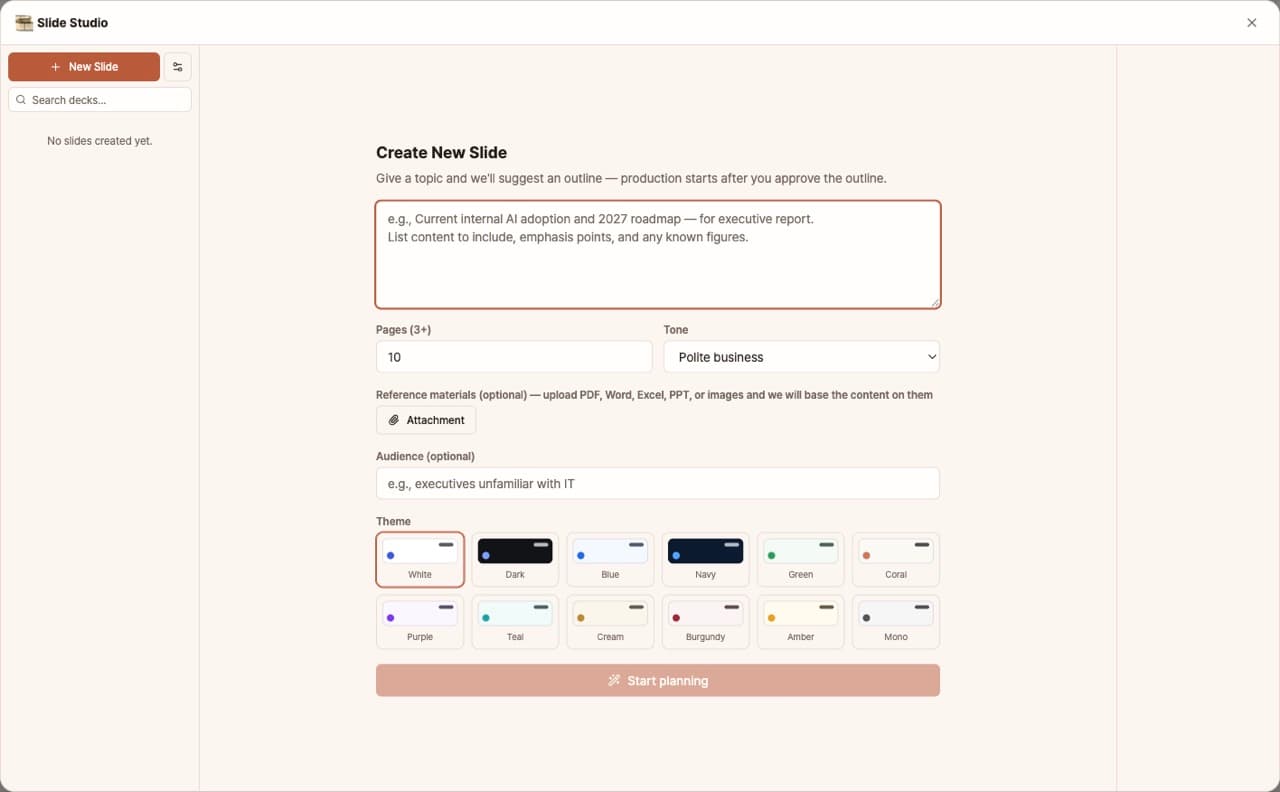
Just give a topic and AI will suggest an outline. Once you approve, it creates slides for each section and shows them in real time. Supports 13 types of chart, table, and infographic layouts, 13 themes, per-section editing and deletion, file attachments, and bottom branding. You can export as editable PPTX or HTML slideshow, or publish as a web link. Finished decks can also be turned into presentation videos (MP4) with AI-generated scripts, voiceover, and subtitles.
Sign in and tap Use — the app appears inside DoDone.
Who it's for · what for
Business owners & sales representatives
Create proposals and company introductions from outline to finished version in under 30 minutes.
Instructors & consultants
Draft lecture materials with just a topic, then finalize in PPTX.
Startups
Quickly update IR materials and weekly reports while keeping your theme consistent.
How to use
- 1Enter your topic, purpose, and number of sections. Attach any reference files if you have them.
- 2Edit the outline suggested by AI and [Approve] it.
- 3Review the slides generated for each section. Edit or delete any sections you don't like.
- 4Export as PPTX or HTML, or [Publish to web] to share via link.
- 5Click [Presentation Video] and AI will write a script for each section. Refine the script, choose a voice, and get your MP4 by clicking [Create Presentation Video].
Features in detail
Approve the outline, then watch slides build live
Enter a topic, any slide count from 3 to 24, audience, and tone — the AI proposes a title and outline. Edit and approve it, then slides generate one by one and appear on the canvas as they finish, with AI background images on covers and sections.
13 layouts, 13 themes, per-slide edits
The AI picks from 13 visual layouts — bar/donut charts, tables, stat cards, timelines, comparisons. Switch among 13 themes instantly, and after completion select any slide and prompt "turn these numbers into a chart" to regenerate just that one.
Reference attachments, footer branding, deck search
Attach PDF, docx, or xlsx files when creating a deck and their content is reflected in the slides. Put your logo or text in the footer (left/center/right, cover and body separately — large images auto-shrink), and find decks with search plus 10-at-a-time load-more.
Editable PPTX + HTML slideshow export
The exported PPTX is real text boxes, shapes, tables, and native charts — fully editable in PowerPoint, not a stack of images. Export a self-contained HTML slideshow too. Decks are saved in a list so you can reopen, edit, and re-export anytime.
Presentation video — AI talk track, voice and captions
Press [Presentation video] on a finished deck and the AI writes a talk track for each slide (1, 3 or 5 minutes or auto, 4 tones). Edit any slide or have just one rewritten, pick one of 30 voices for narration, and get a 16:9 1080p MP4 with gentle zoom, crossfades, captions and optional background music. Narration needs the TTS plugin and a Gemini key; video export needs the Remotion plugin.
FAQ
Q.Is there a limit to the number of slides?
No, there isn't. Even long decks are generated section by section.
Q.Can I edit the PPTX in PowerPoint?
Yes. It exports in a format where text and shapes are fully editable.
Q.Where does web publishing upload to?
It uploads to Pages on your GitHub account connected in Settings > Plugins.
Q.What do I need for presentation videos?
The script is written by the default AI model. For voiceover (narration), you'll need TTS and Gemini keys set up in Settings > Plugins. To create the video, you'll need the Remotion plugin. You can also make videos that just advance slides without narration.
This app — and every work app — is free for DoDone subscribers
New work apps keep shipping, at no extra cost while you're subscribed. Tap Use and run it from 'My Work Apps' inside DoDone.