YouTube Thumbnail Maker
Free with subscriptionGet three AI copy options from your video title and compare them side by side, then finish with big text, [highlight] color and a background — under 2 MB
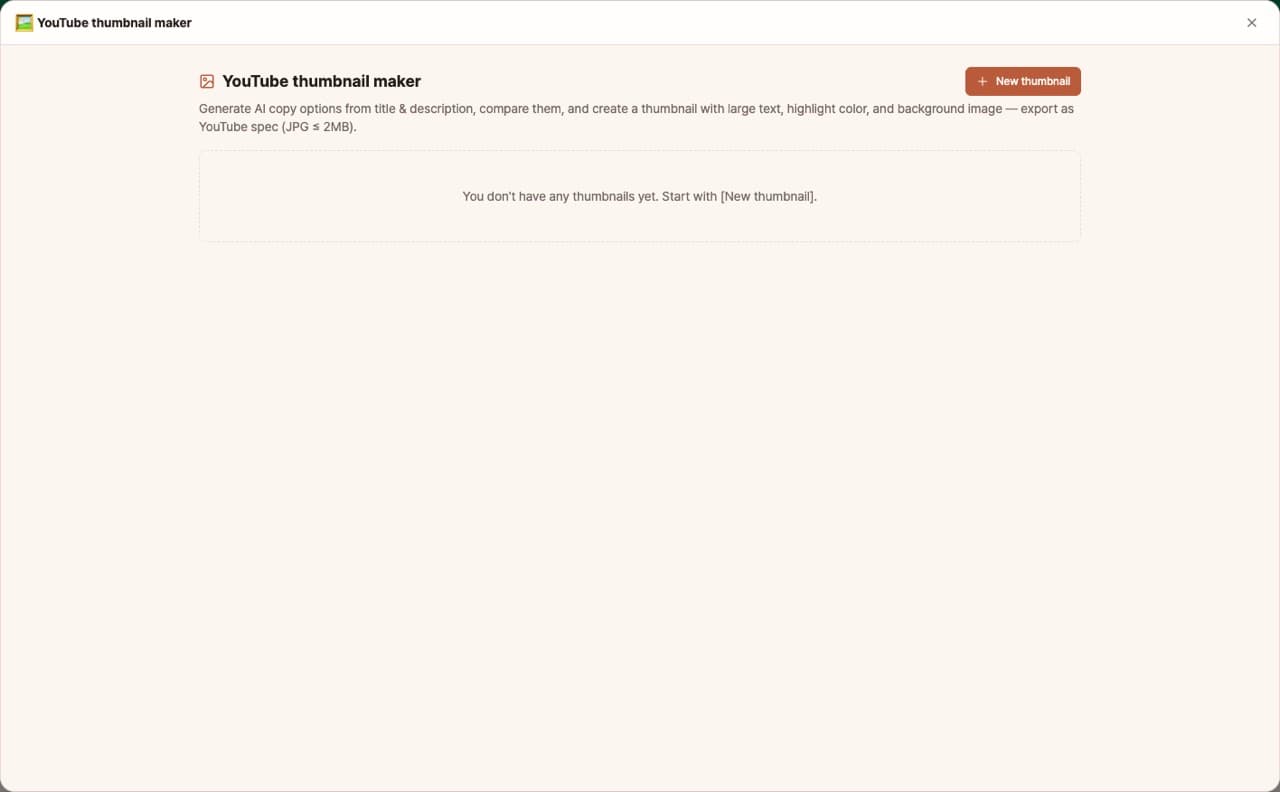
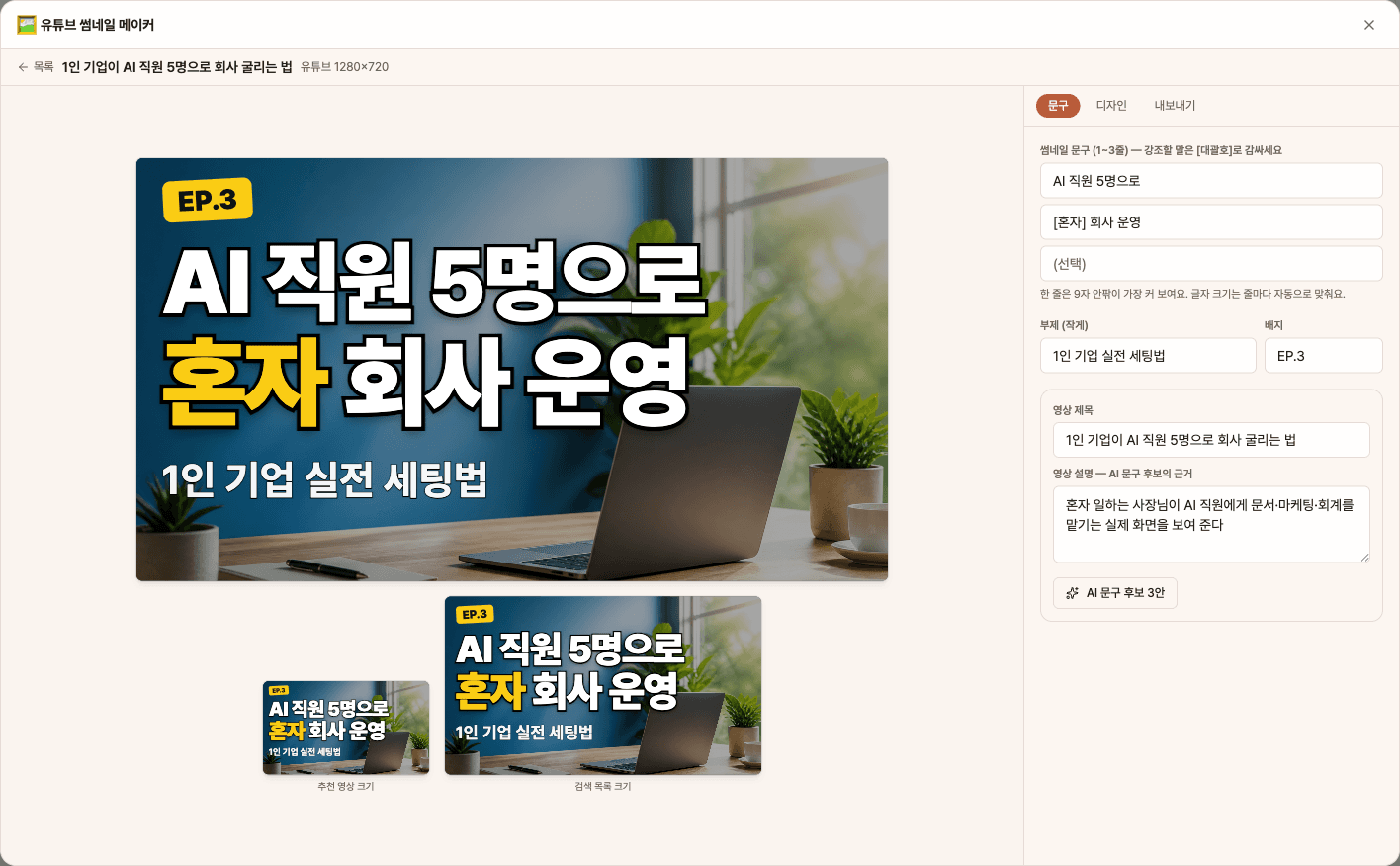
YouTube thumbnails need to be readable in half a second on small screens, and using different text from the title increases clicks. The YouTube Thumbnail Maker uses AI to suggest 3 text options based on your video title and description, shows them side by side in your current design, and helps you create YouTube-standard thumbnails with big text, outlines, highlight colors, and background images.
Sign in and tap Use — the app appears inside DoDone.
Who it's for · what for
YouTubers & Solo Creators
Compare several thumbnail text options for each video and upload directly as a JPG under 2MB.
Business & Organization Channel Managers
Create consistent series thumbnails using the same template and colors.
Lecture & Educational Content Creators
Quickly make episode thumbnails by adding EP badges and subtitles.
How to use
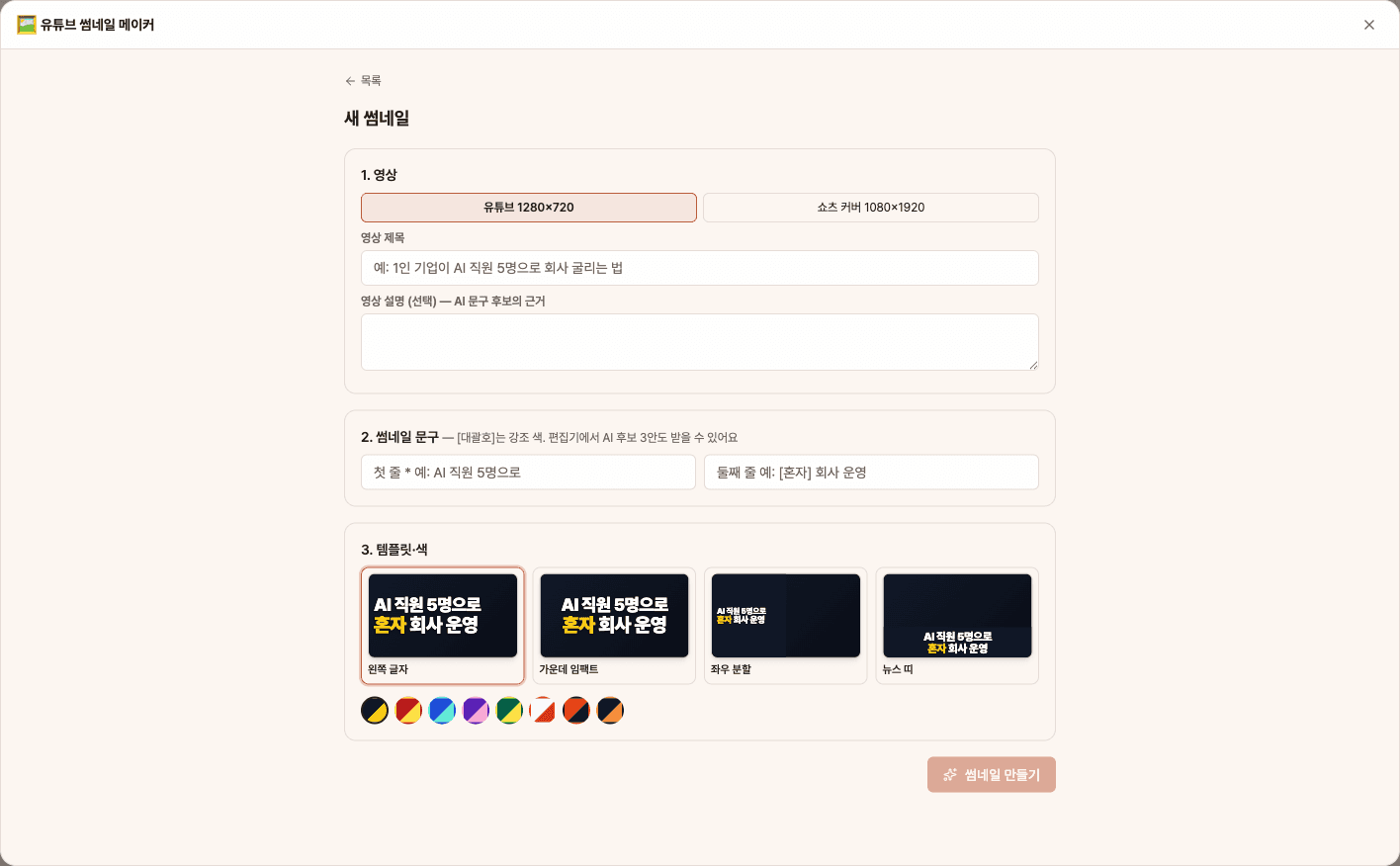
- 1[New Thumbnail] → Choose YouTube or Shorts, then enter the video title, description, and your first text (if you open from [Make Thumbnail] in the Video Maker, the title is already filled in).
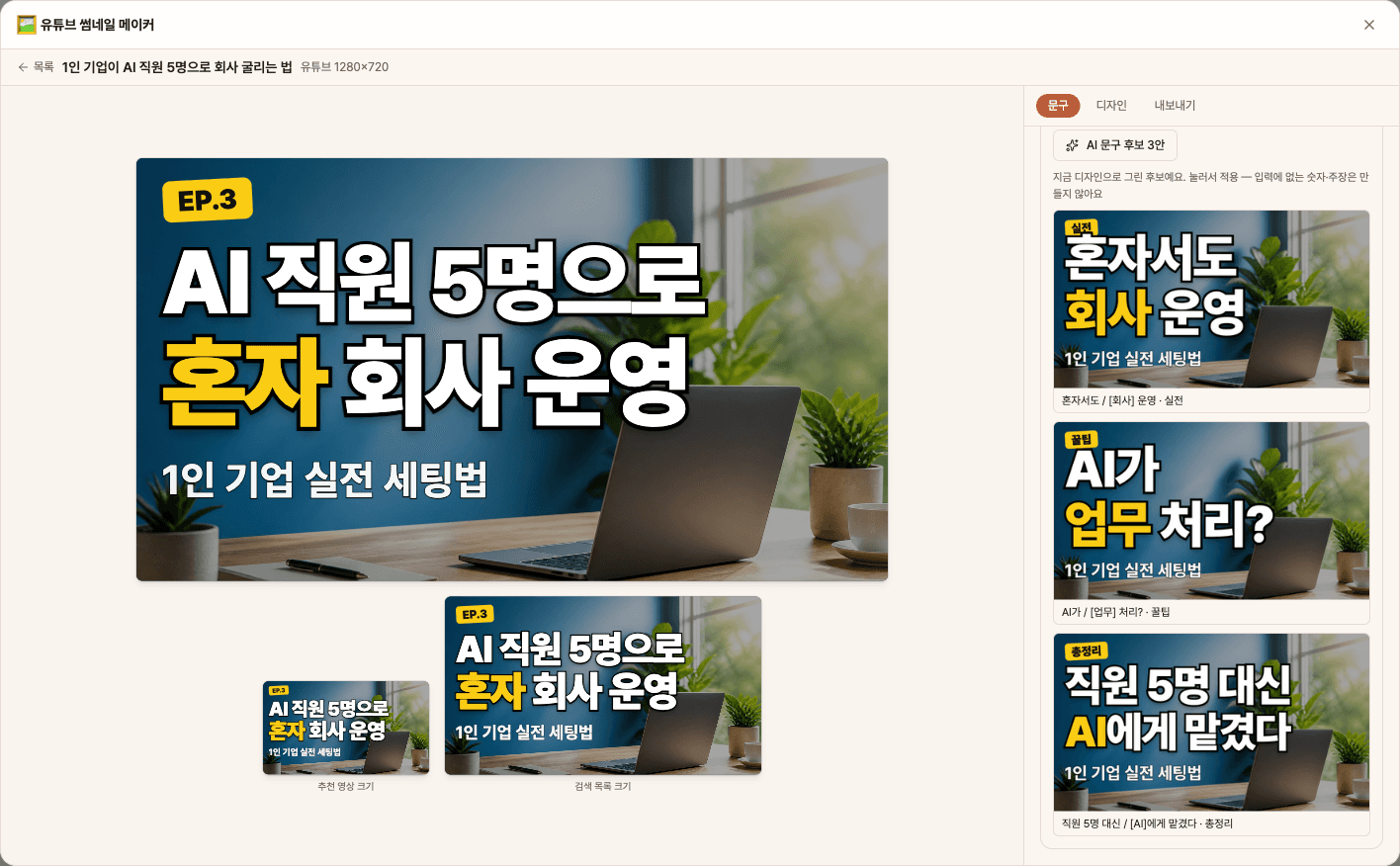
- 2In the Text tab, use [AI Text Suggestions (3 options)] to preview and compare candidates, then click to apply. Wrap words you want to highlight in [brackets].
- 3In the Design tab, choose a template, color, and outline, upload a photo, or create an [AI Background].
- 4Check if it's readable in the small preview, then export as JPG (under 2MB) or PNG.
Features in detail
Compare 3 AI copy options
From your video title and description, AI writes three short thumbnail options — result-driven, curiosity and twist — and marks the key word in [brackets] for highlighting. Each option is rendered side by side in your current design so you can apply one with a click. It never invents numbers, amounts or claims that are not in your input.
Big text · outlines · 4 templates
One to three lines are each sized as large as they fit, with thick outlines and a [highlight] color. Choose left-text, center-impact, split or news-bar templates, add a badge and subtitle, and pick from 8 palettes. Use a photo or a text-free AI background, and check readability with previews at suggested-video and search-result sizes.
YouTube & Shorts · under 2 MB · Video Maker link
YouTube 1280×720 and Shorts covers at 1080×1920. JPG quality is adjusted automatically to stay under the 2 MB upload limit, and PNG is available too. Press [Make thumbnail] next to a video rendered in Video Maker to open it with the video title already filled in.
FAQ
Q.Will the upload size go over 2MB?
JPGs are automatically saved at a lower quality until they're under 2MB. You'll see the actual size and quality after saving.
Q.Are the AI text suggestions exaggerated?
Any candidate with numbers, amounts, or effects not in your input (title/description) is filtered out by the code, and the AI is instructed not to use clickbait or false claims.
Q.Can I remove backgrounds from photos of people?
Currently, background removal for people isn't supported. Please use the whole photo as a background or place it to one side.
This app — and every work app — is free for DoDone subscribers
New work apps keep shipping, at no extra cost while you're subscribed. Tap Use and run it from 'My Work Apps' inside DoDone.