Video Downloader
Free with subscriptionPaste YouTube, TikTok, X, Instagram or Vimeo URLs and save them to your folder as video or mp3 — several at once, no AI calls, free
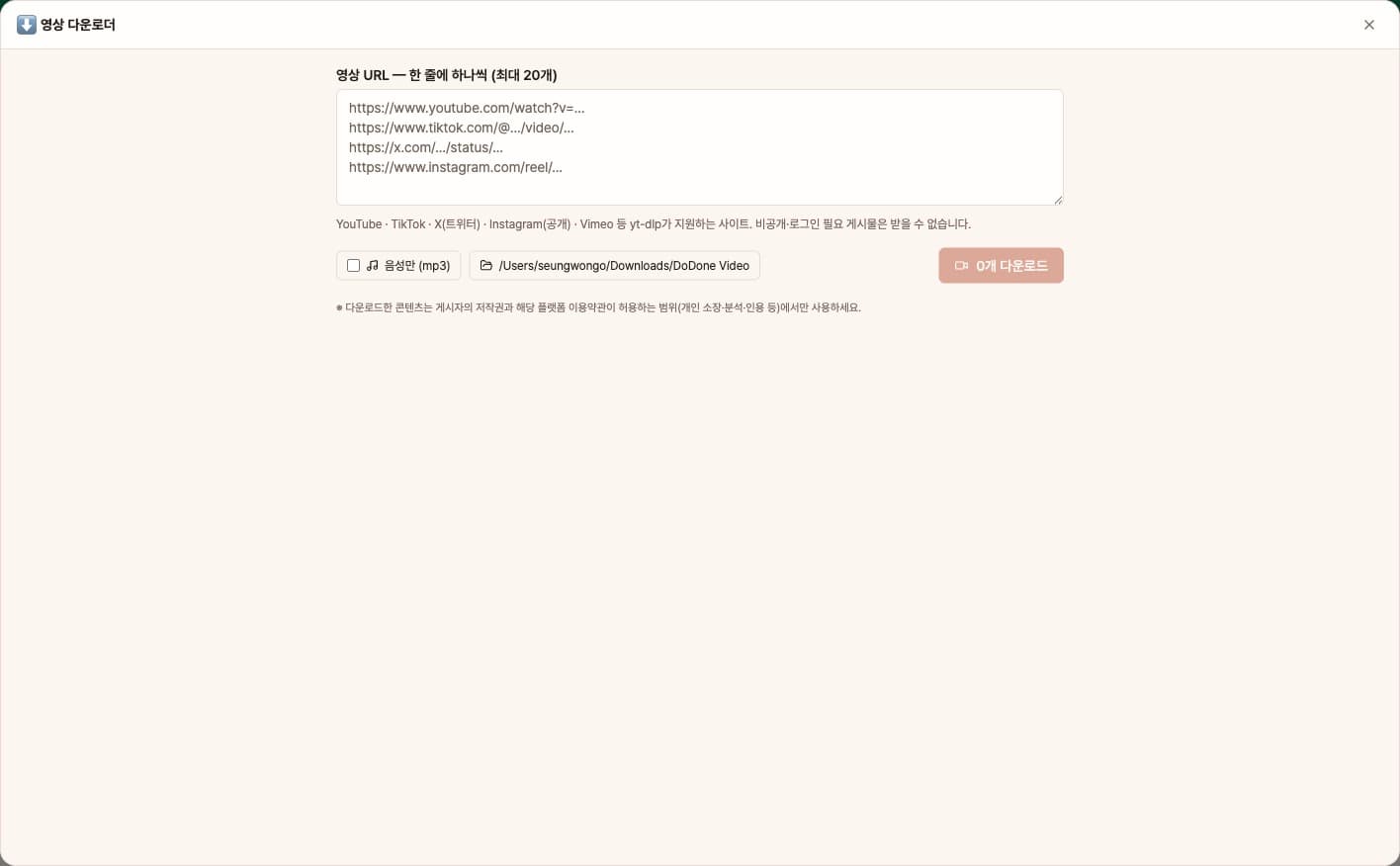
To save YouTube, TikTok, X, or Instagram videos for reference or offline viewing, you usually have to find a different download tool for each site. With this app, just paste the URL and the built-in media download module (yt-dlp) in DoDone will save the video or mp3 to your folder. You can download multiple files at once, and since it doesn’t use AI calls, it’s free.
Sign in and tap Use — the app appears inside DoDone.
Who it's for · what for
For those collecting lecture or seminar videos as resources
Download reference videos to a folder, then use chat to summarize, add subtitles, or organize them.
SNS managers and marketers
Download competitor or reference Reels and Shorts to analyze their structure and editing.
Instructors and education managers
Download videos to use as educational material and play them in offline classrooms.
How to use
- 1Install the download module once with [Install now] (also available in Settings > Plugins).
- 2Paste one URL per line. Up to 20 at a time.
- 3If needed, turn on [Audio only], choose a save folder, then [Download]. You’ll see progress for each item, and when finished, [Show in folder].
Features in detail
Many URLs at once
Paste up to 20 URLs, one per line, and they download in order. Each row shows progress, done or failed, and finished files open with "Show in folder".
Video or audio only
Best-quality video by default; turn on "audio only" for mp3. With ffmpeg you get merged best quality and mp3 conversion; without it, files are saved as-is. Pick any folder.
Works from chat too
Employees use the same module. Give a URL in chat and say "download this" to get it as a deliverable, then ask for a summary, subtitles or analysis.
FAQ
Q.Which sites are supported?
Most sites supported by yt-dlp, including YouTube, TikTok, X (Twitter), Instagram (public posts), Vimeo, and more. Private or login-required posts cannot be downloaded.
Q.How is the video quality determined?
The highest available quality is downloaded. If ffmpeg is installed on your computer, video and audio are merged for the best quality; if not, the best single-file quality is saved. mp3 conversion also requires ffmpeg.
Q.How can I use the downloaded videos?
Use them only within the limits allowed by the uploader’s copyright and the platform’s terms of service (personal use, analysis, citation, etc.). Redistribution or commercial use requires permission from the rights holder.
Q.How is this different from downloading in chat?
Chat is great for saving outputs and continuing analysis, while this app is better for collecting multiple URLs as files in a folder. Both use the same module.
This app — and every work app — is free for DoDone subscribers
New work apps keep shipping, at no extra cost while you're subscribed. Tap Use and run it from 'My Work Apps' inside DoDone.