Video Maker
Free with subscriptionFrom product, app and store ads to explainers, reels and announcements — AI drafts the storyboard, you tweak the scenes, and it renders motion-graphics video in landscape, portrait or square
Sign in and tap Use — the app appears inside DoDone.
Features in detail
Purpose-built inputs → AI storyboard
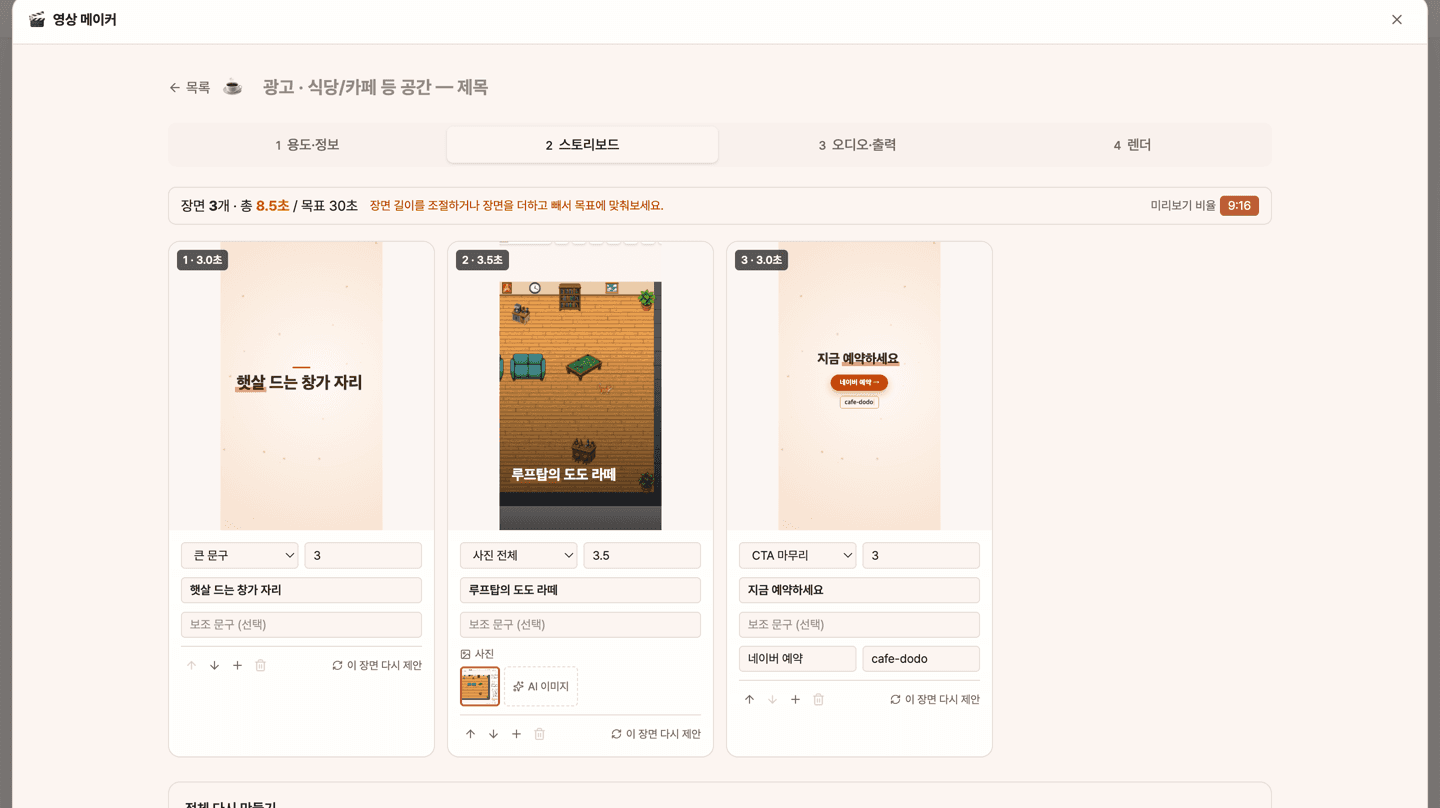
Pick a purpose — product, app/web solution or restaurant/café ad, an explainer for your slides, a reel, or a notice/event/greeting — add the details and photos, and AI drafts a 15, 30 or 60-second storyboard with a proper structure (hook → features → benefit → CTA and so on). Your photos are placed in the scenes they fit.
Scene-by-scene editing · previews · 15 motion layouts
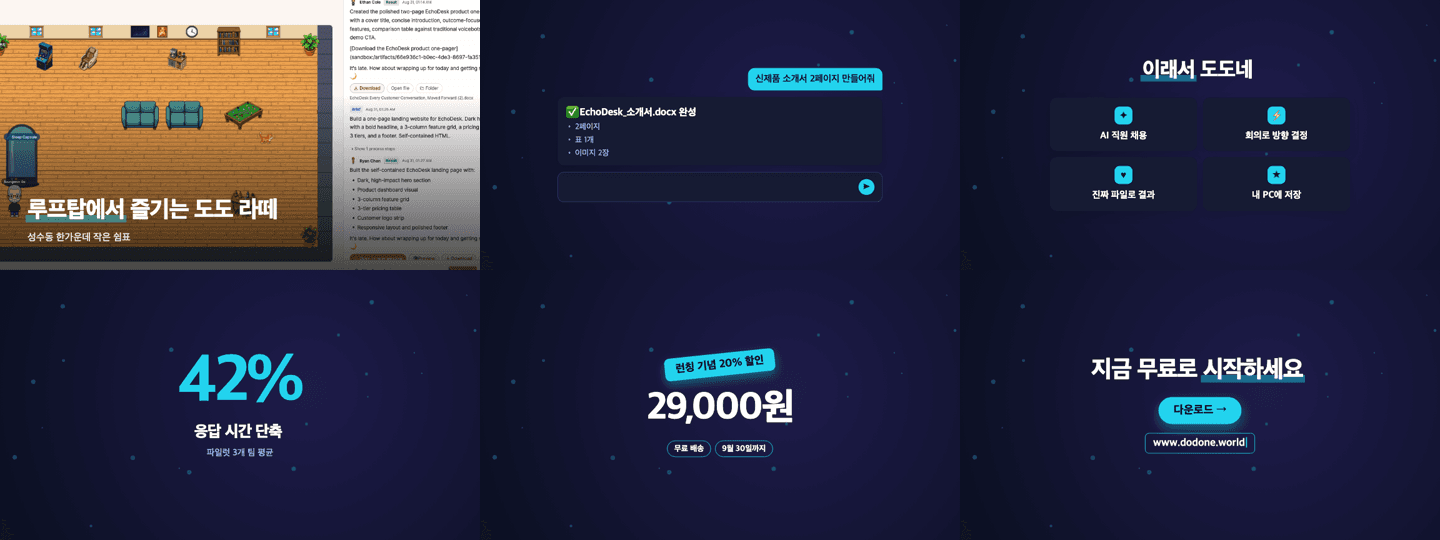
For every scene, change the copy, the motion layout (big text, full photo, device mockup, typing demo, features and steps, numbers and charts, reviews, price and offer, info card, CTA and more), the photo and the length; add, delete and reorder scenes, or ask AI to redo one. Edited scenes get a fresh preview still, and scenes without a photo can use an AI image.
BGM · voice-over · landscape, portrait and square renders
Choose BGM from six built-in, copyright-free tracks, AI generation or your own file, and optionally add a voice-over (TTS) with captions and sound effects — the music ducks automatically under the voice. Apply one of six themes plus your logo and brand color, check a quick low-res preview, then render several aspect ratios at 1080p in one go. Requires the video renderer (Remotion) plugin.
This app — and every work app — is free for DoDone subscribers
New work apps keep shipping, at no extra cost while you're subscribed. Tap Use and run it from 'My Work Apps' inside DoDone.