마케터 리서처 디자이너 AI 직원 뽑기. 직원마다 다른 AI 모델 쓰기. hire an AI marketer, researcher, or designer. use a different AI model per employee. DoDone(도도네) — 역할 프리셋·인터뷰로 AI 직원을 채용하고, 전사 기본 모델 위에 직원별 최적 모델을 지정하는 방법. Hire AI employees with role presets and an interview, and set per-employee models on top of the company default.
Hiring Employees — Define Roles and Select via Interview
In DoDone, an "employee" is an AI with a defined role. Just like a Marketer, Researcher, or Designer, each role has its own way of working and strengths, and each has a pixel character and a desk. This page explains how to hire your first employee and what each item you set during hiring means.
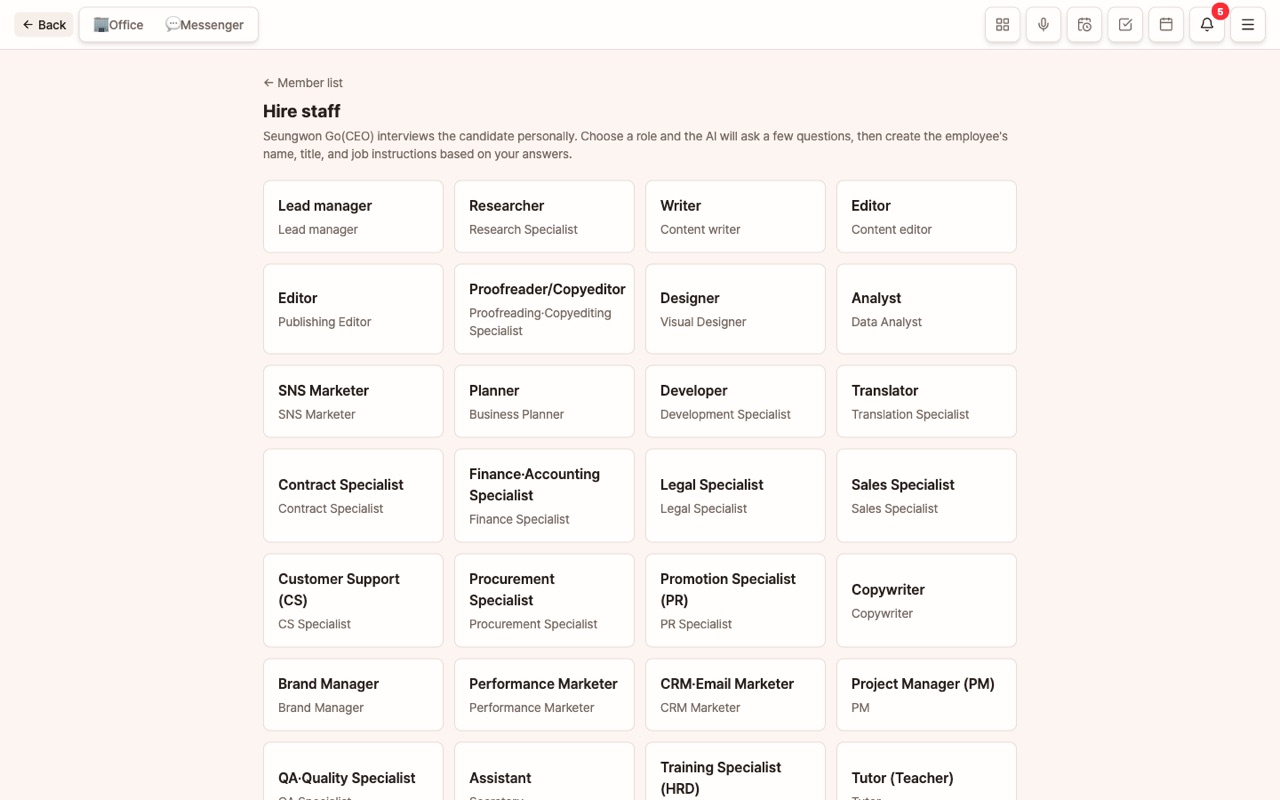
Which Employee Should You Hire First?
At first, 2–3 employees are enough. Hiring more doesn't necessarily make things better, and the memory and skills each employee accumulates can become scattered.
| Task | Recommended Role |
|---|---|
| Writing, SNS, Promotion | Copywriter or SNS Marketer |
| Research, Market Analysis | Researcher, Data Analyst |
| Images, Posters, Logos | Designer |
| Coordinating multiple employees for big projects | General Manager (the Master can also handle this) |
| Proposals, Documents, Reports | Planner, Proposal Specialist |
Hiring Process
Go to Menu (≡) > Employees > [Hire].
1. Select a Role
Choose one of over 40 role presets. Each role comes with a default guideline starting with "You are a ~ expert," so just by choosing, the employee will work in that style. If the role you want isn't in the presets, select Custom and write your own guideline.
2. Interview — Define This Employee's Personality
You'll answer a few questions, both multiple choice and free input (e.g., "Should deliverables be concise or detailed?", "Which industry do you mainly handle?"). Your answers will shape the employee's personality and expertise, which are reflected in their guidelines. If you're not sure, you can select "Not sure."
3. Name, Title, Avatar
Choose from 56 pixel characters (including historical figure styles). The name is used to mention the employee in chat as @Name, so it's best to pick something short and distinctive.
4. Deliverable Types
Choose the main types of deliverables this employee will create: Text, Web Document, Word, Excel, PDF, Image, Video, Audio. You can select multiple. The types you choose here will appear below in "Per-Employee Model Selection."
5. Work Guidelines
You can keep the preset guideline or add details specific to your company. For company-wide information, it's better to put it in the Company Knowledge Base instead. The guideline should include rules unique to this employee.
You are our cafe's SNS Marketer. Instagram captions should be within 3 lines, use 5 hashtags, and include 1–2 emojis.
For discount and event phrases, use only the prices from the knowledge base.
Per-Employee Model Selection — Choose the Best Brain for Each Role
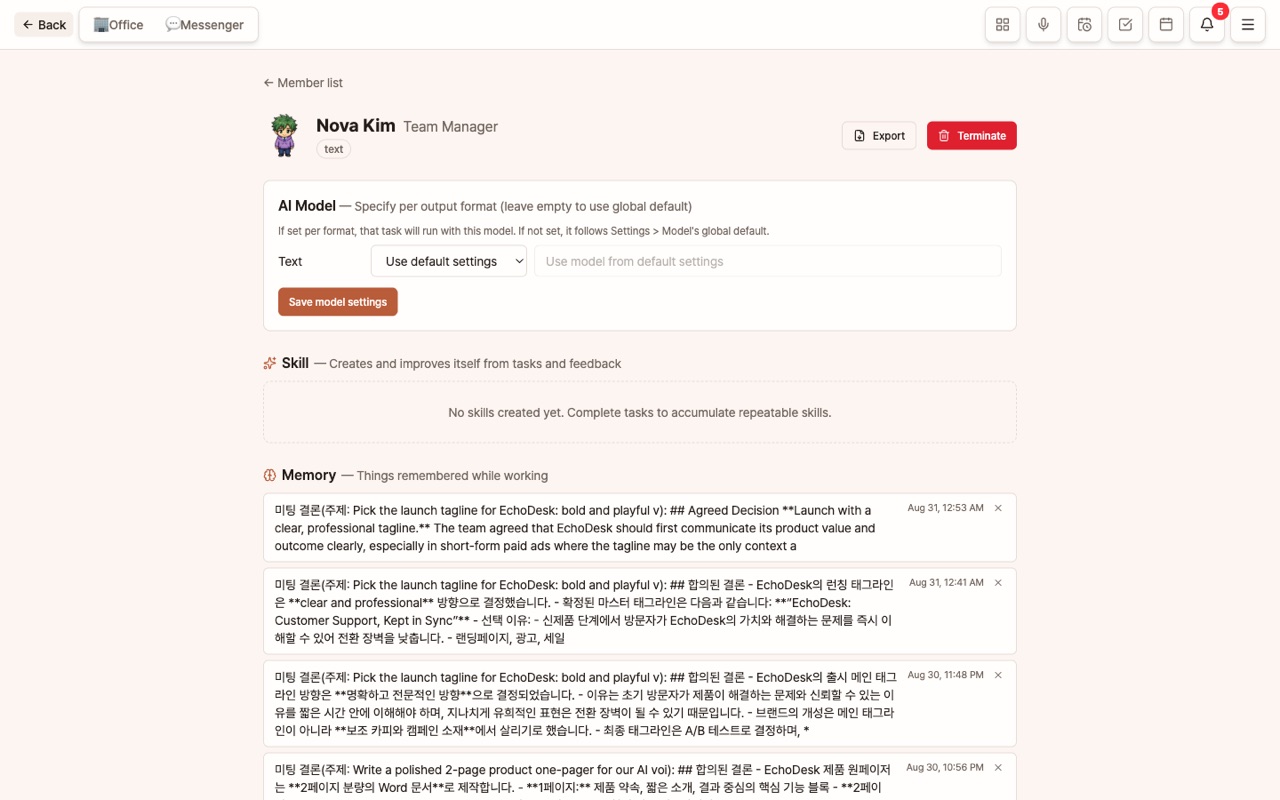
The AI model set in Settings > Model is the company-wide default used by all employees. However, some roles are better suited to different models.
- Employees like Researchers or Planners, where long writing and logic are important → Smarter (more expensive) models
- Employees focused on SNS captions or short answers → Faster, more affordable models
- Designers → Image models from companies with high image quality
On the employee detail screen, under [AI Model — Set Per Deliverable Type], you can select the company and model for each of Text, Word, Excel, PDF, Image, and Web. When you choose a company, the list of models available with that company's key is automatically fetched and shown in the dropdown, but you can also enter one manually. If you leave it blank, the company default is used. In short, the default is the company model, and only exceptions are set per employee.
What to Do Right After Hiring
- Try assigning a simple task in the employee chat. Try giving your first task
- If you like the result, give a 👍; if not, leave a 👎 and a reason. The employee will learn from your feedback.
- If you plan to work as a team, create a Project and add employees to it.
FAQ
Q: Do I have to hire a manager?
No. If you give a major instruction in the Master channel without mentioning anyone, the Master will distribute tasks to employees. If you hire a manager, that role will be handled by a separate employee.
Q: Can I change the role later?
Yes, in the employee detail > Edit Profile/Guidelines, you can change the role, name, avatar, deliverable types, and guidelines. Memory and skills are retained.
Q: What is the Team Builder?
The [Team Builder] on the employee screen suggests the right combination of roles for your goal and lets you hire multiple employees at once.