AI 직원끼리 토론해서 결론 내기. 조사 결과를 다른 AI 직원이 검토하게 하기. have AI employees debate and conclude. have another AI employee review research. DoDone(도도네) — 업무 넘김(A→B→A), 프로젝트 전원 릴레이, 직원 미팅(토론→결론) — 직원들이 함께 일하는 방법. Handoff (A→B→A), everyone relay in a project, and employee meetings (debate→conclusion) — how employees work together.
Task Handover · Everyone Relay · Meetings — How Employees Work Together
The way human teams work can be summarized in three ways: A hands off to B, everyone takes turns adding their input, and they conclude with a meeting. DoDone provides all three of these methods just as they are. Here’s a summary of when to use each one.
| What you want to do | Feature | Result |
|---|---|---|
| Have another employee review or continue your research | Task Handover | The result is handed back to the original employee |
| Every project member adds their perspective | Everyone Relay | A single result with stacked perspectives |
| Discuss topics that need direction or decisions | Meeting | A summarized conclusion |
| Multiple employees create and hand off in order | Workflow | Step-by-step deliverables |
| Just set a goal and go from kickoff to retrospective | Goal | Team-level completion |
Task Handover — From A to B, then back to A
In employee chat, mention another employee with @ to hand over the task.
- In the Researcher chat, request market research. The result comes in.
- Then type
@Reviewer Please review this research and let me know any improvements. - The task moves to the Reviewer chat, marked "From Researcher," and the research content is sent as a reference.
- When the Reviewer is done, the result is automatically sent back to the Researcher chat as "From Reviewer."
It's just like handing off work between people. For example, a Copywriter can naturally hand off text by saying, @Designer Please make a card news with this copy.
Everyone Relay — Each Project Member Adds Their Input
In project chat, when you press @, Everyone is at the top of the list.
@Everyone Please suggest ideas for launching a new brunch cafe from each of your role perspectives.
Planner → Marketer → Designer → Copywriter: Each person reads the previous result and adds their own perspective to create a single result. This isn’t a debate, but a way for everyone to actually add their work or opinions.
When to use: Idea generation, strengthening a draft plan from multiple perspectives, risk checks.
Meeting — Discuss and Conclude
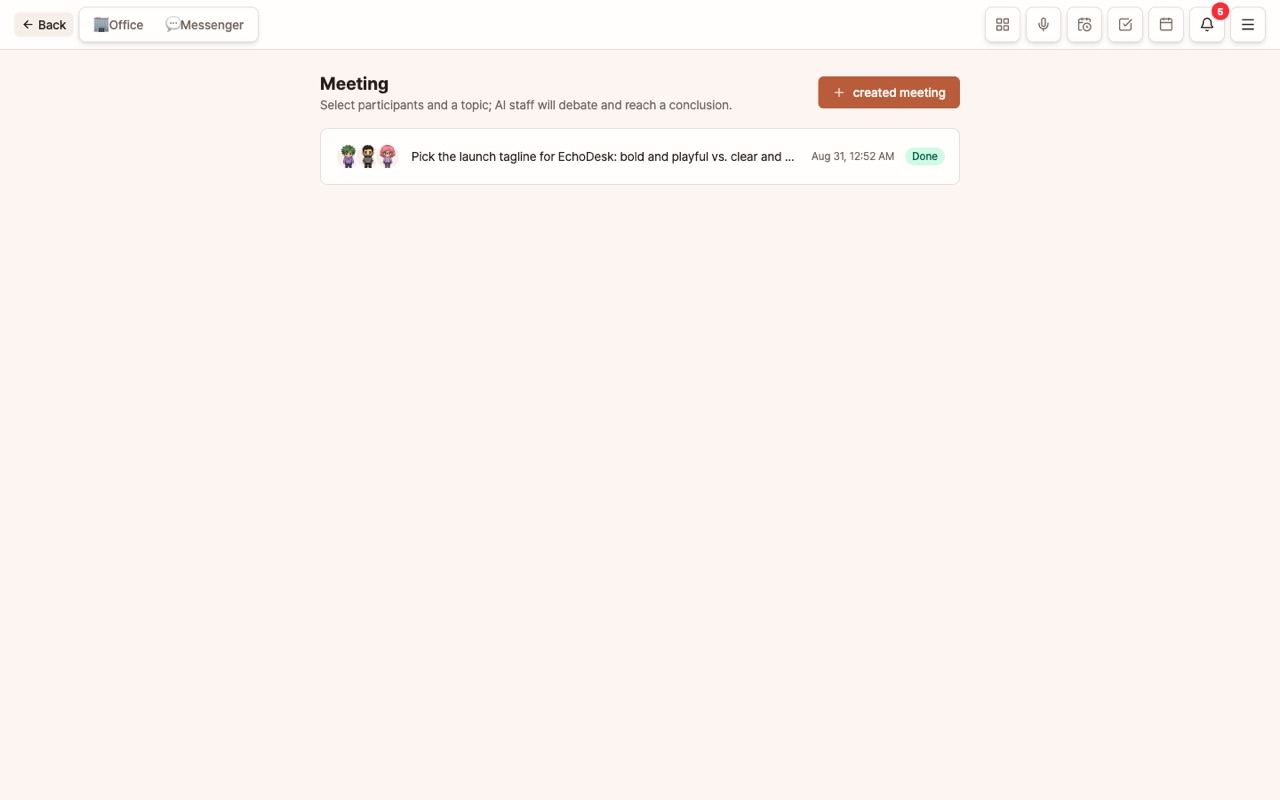
Open it from Menu (≡) > Meeting.
- Select at least 2 attendees
- Enter the meeting topic. Example:
Let’s decide on the new product pricing policy direction. - Choose the number of turns (1–4 per person)
- Employees discuss for the set number of turns and summarize the conclusion.
Since the number of calls is set in advance, you can know the cost ahead of time. You can start a meeting even without a manager. The meeting conclusion is saved in the attendees’ memory and will be reflected in future work.
When to use: Decisions where perspectives conflict, such as pricing, strategy, or priorities. For creating deliverables, Task Handover or Workflow is more suitable than a meeting.
Regular Meetings
If you assign multiple employees in the Scheduler, it becomes a regular meeting. Example: Every Monday at 09:00, "Last week’s performance and this week’s priorities."
Tips for Use
- The structure of creator → refiner → reviewer is stable. Use Task Handover in this order.
- For meetings, 3 attendees with about 2 turns each is a good balance between conclusion quality and cost.
- If you like the meeting conclusion, continue right away with
@Planner Please create an execution plan based on this conclusion.
FAQ
Q: What’s the difference between Task Handover and Workflow?
Task Handover is a one-time, spontaneous handoff and return during a conversation. Workflow is where you set multiple steps in advance and execute them in order.
Q: Can the Master attend meetings?
Yes. If you select the Master as an attendee, your persona will speak from your perspective.