AI가 만든 파일 한곳에서 관리. 피드백으로 학습하는 AI 직원. manage AI-made files in one place. AI employees that learn from feedback. DoDone(도도네) — 대화 세션 관리, 산출물 패널에서 파일 찾기, 피드백으로 직원을 성장시키는 방법. Manage chat sessions, find files in the artifacts panel, and grow employees with feedback.
Session · Deliverables Panel · Feedback — Keeping Conversations Tidy
When conversations with employees get long, the context becomes heavy, making responses slower and sometimes bringing up irrelevant old topics. Use Session to break up conversations, Deliverables Panel to view files separately, and Feedback to help your employees grow.
Session
At the top of the chat, use [Session] to start a new session, and [Past Records] to view previous sessions. Sessions are managed separately for each channel (Master/Employee/Project).
- Start a new session when moving to a new topic. Employees’ memory and skills are maintained regardless of sessions, so nothing is lost.
- Deliverables from previous sessions remain in the Deliverables Archive.
Deliverables Panel
Click [Deliverables] at the top of the chat to split the screen 1:1 and see a list of files created in that chat (the most recent 20 + see more). Preview websites, videos, and images without opening a new window. To see all files, go to Menu (≡) > Deliverables.
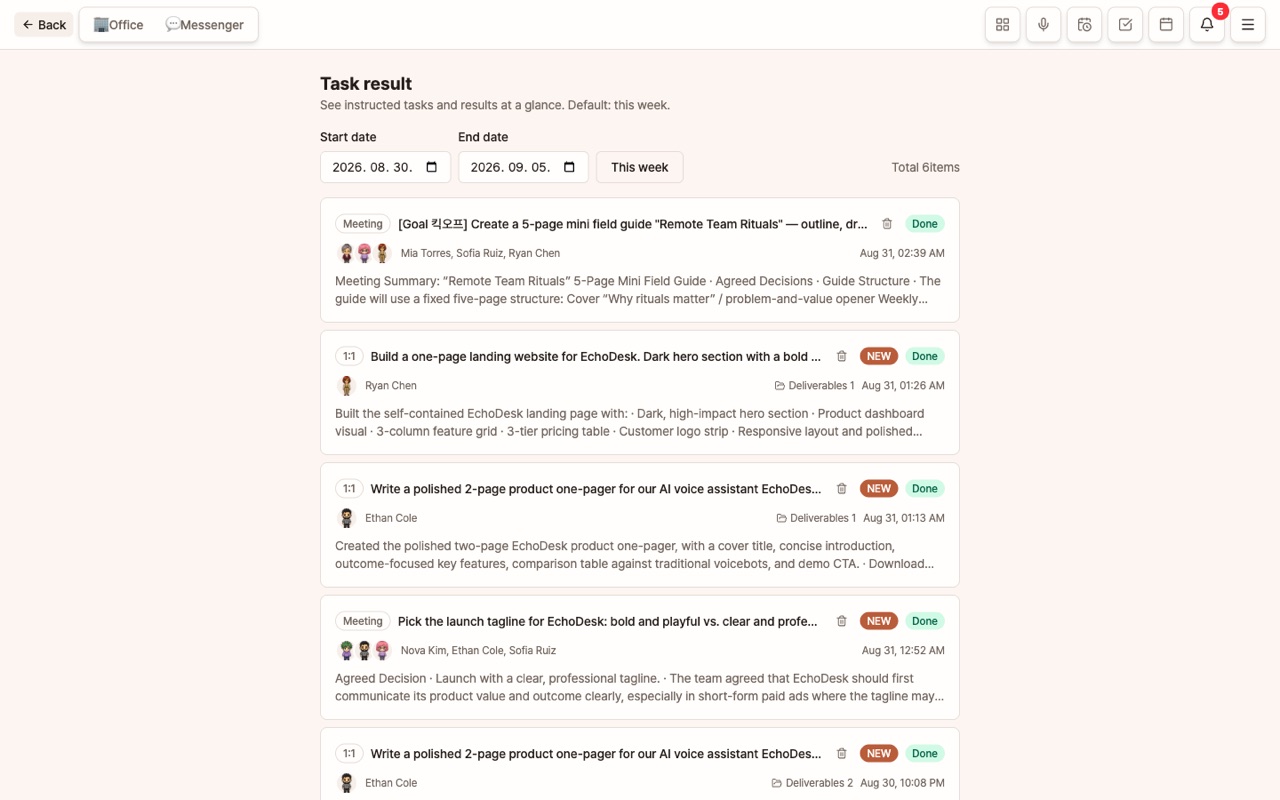
Mission Results
Completed missions are collected in Menu (≡) > Mission Results. Review instructions, results, deliverables, and costs.
Feedback — The Fastest Way for Employees to Learn
Hover over a result message to see the 👍 · 👎 · 🎉 Praise buttons.
| Button | Effect |
|---|---|
| 👎 + Reason | The employee’s skills, memory, and guidelines are automatically improved in that direction |
| 👍 | This method is recorded in memory as correct |
| 🎉 Praise | Saved in memory and the employee responds happily in their own style |
The more specific your feedback, the better. Instead of "Not great," try "This paragraph’s tone is too formal."
FAQ
Q: If I start a new session, will the employee forget previous work?
The conversation context becomes lighter, but memory, skills, and persistent preferences (📌) are maintained.
Q: When is feedback applied?
Feedback left after a mission is completed goes straight into the employee’s memory and is reflected from the next task onward.